
Small teams need one calm tool instead of spreadsheets, messengers and notes. Tasks, conversations and clients should live side by side, while each client sees only their own project.
Tasker
LiveA team planner for small studios: tasks, stages, time tracking, chat with voice messages and separate client groups. Reminders arrive in Telegram.
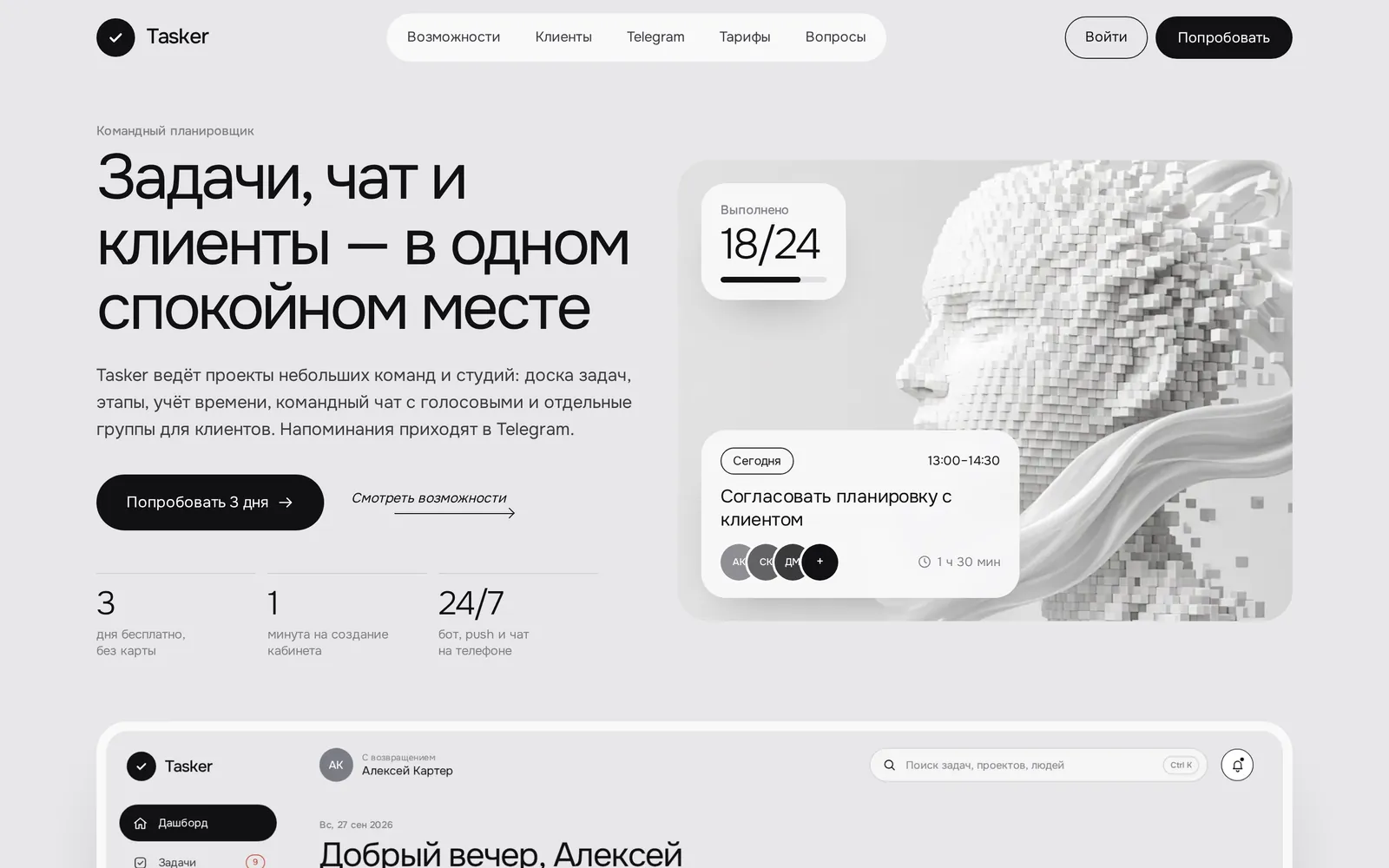
3views of one task — board, list, calendar
24/7bot, push and chat on your phone
1minute to set up a workspace
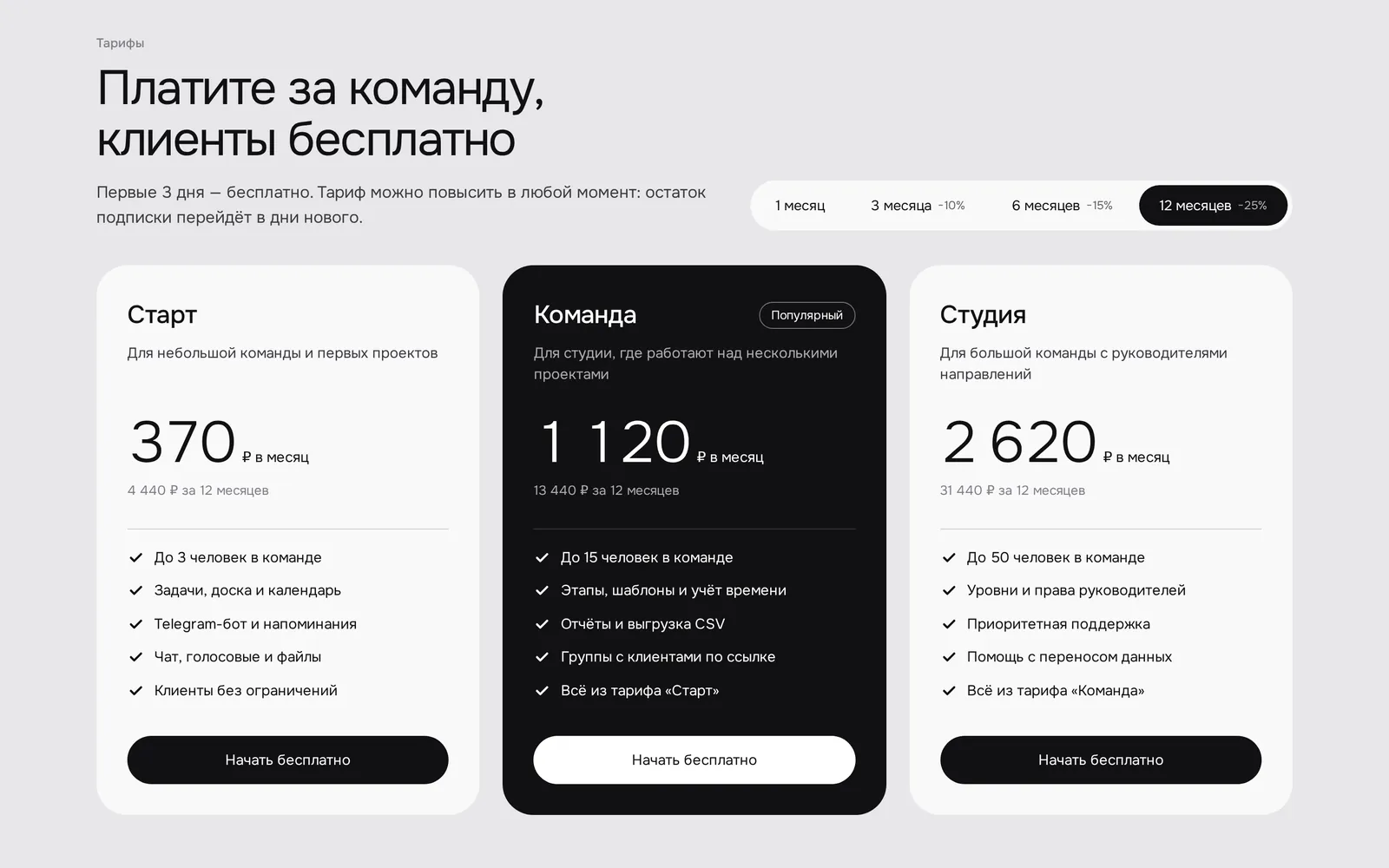
3plans, clients are free
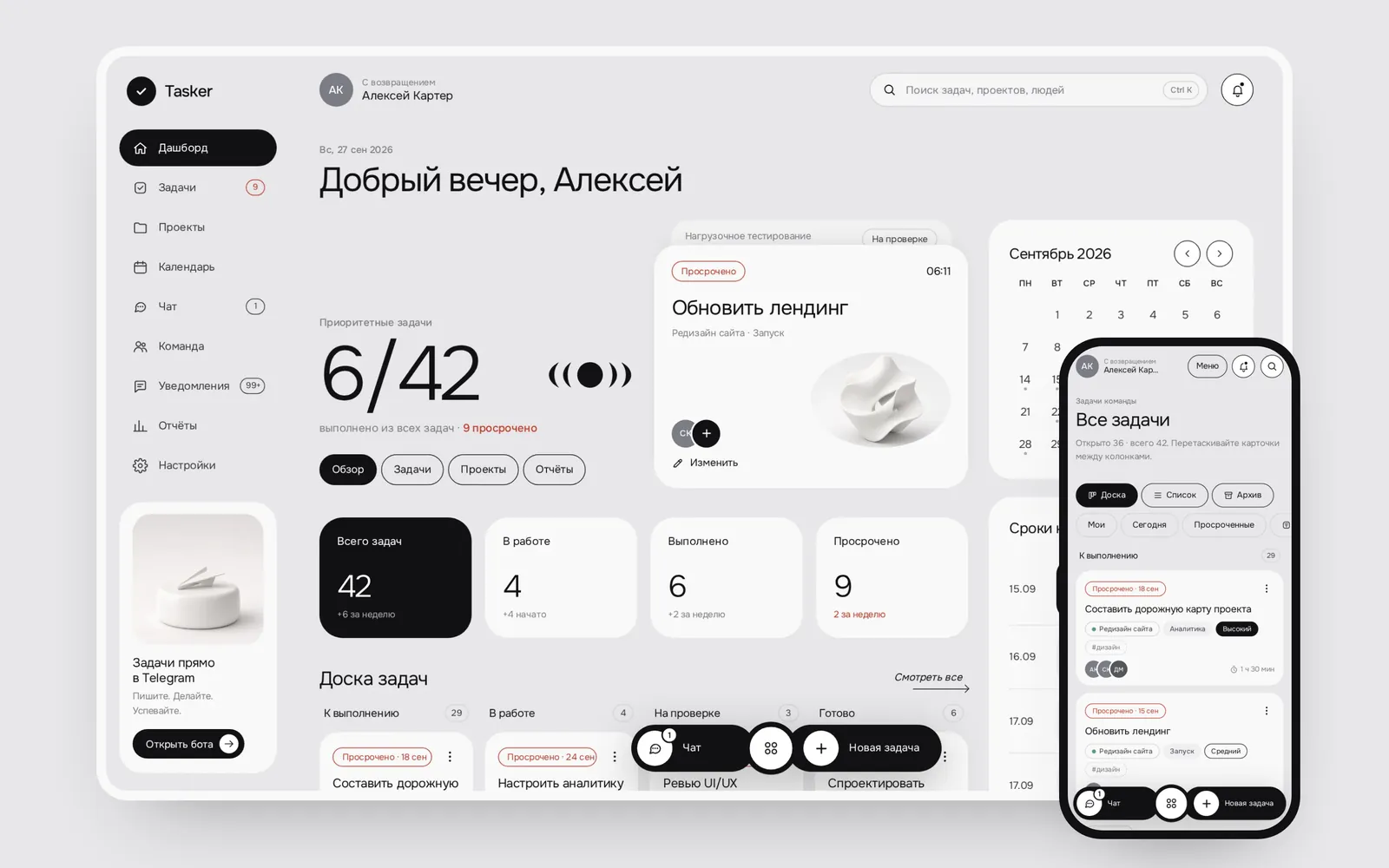
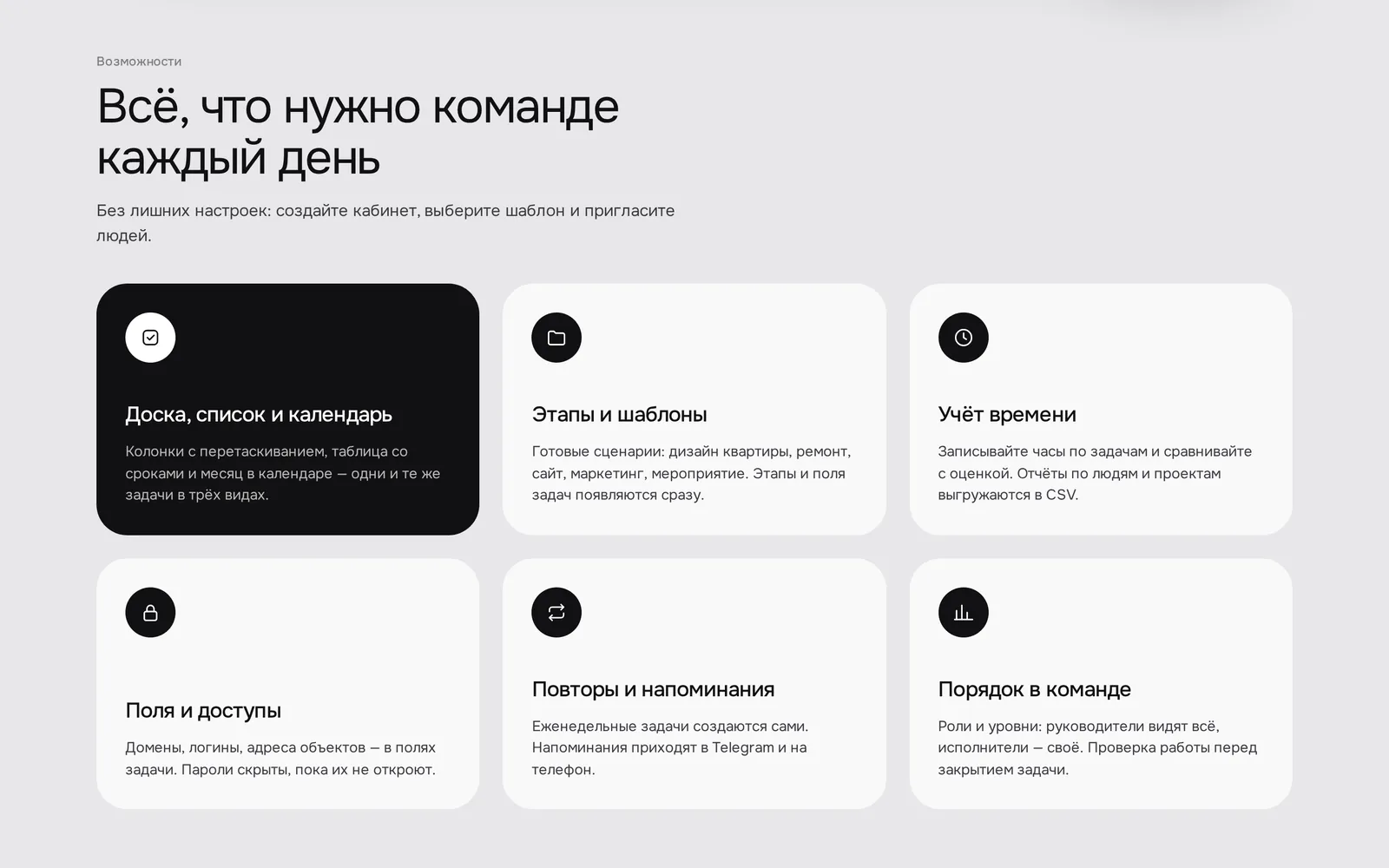
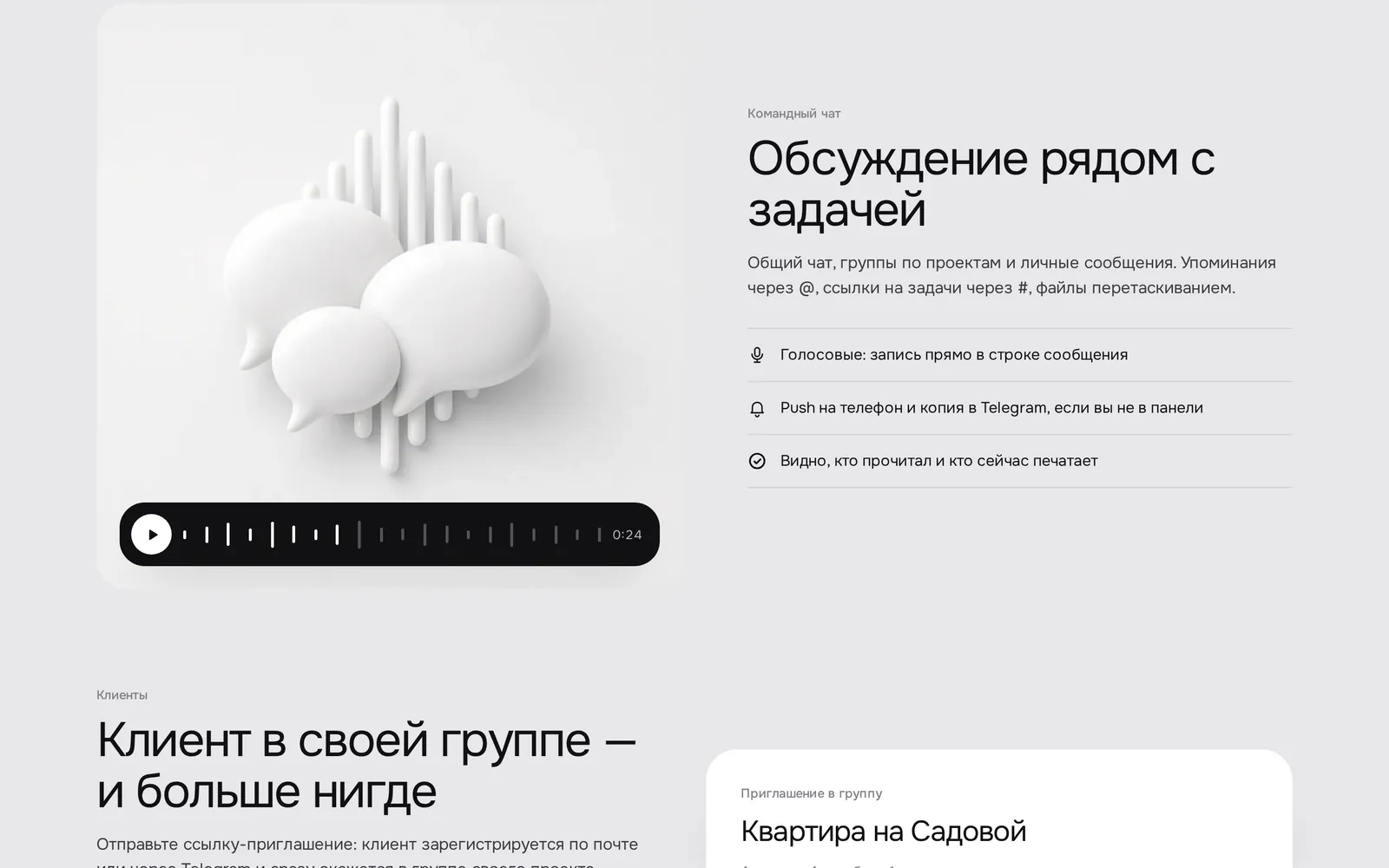
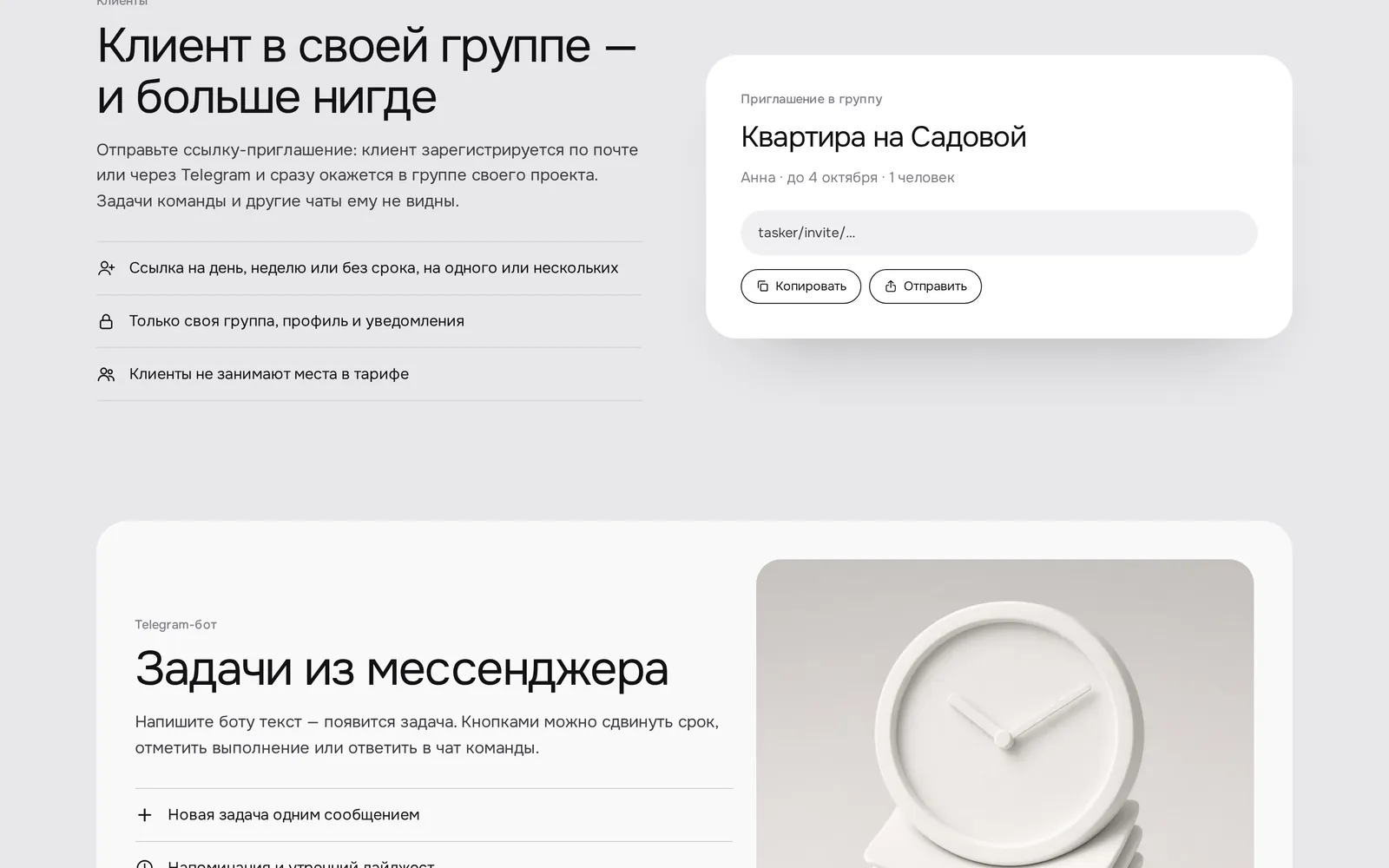
We designed the whole service: a dashboard with board, list and calendar, stage templates for renovation, interiors and websites, time tracking and reports, team chat with voice messages, client invites by link and a Telegram bot that turns a message into a task. The landing page explains the product in a few screens and leads to a free trial.
A working product with roles and access levels, Telegram reminders and a daily digest, push notifications, home-screen install and per-team pricing. A light monochrome interface with soft 3D illustrations works equally well on desktop and mobile.
PRINCIPLESCalm
Calm
instead of noise.
Tasker is designed as a quiet workplace: everything important in sight, everything else out of the way. Four rules behind the workspace.
One task, three views
Board, list and calendar show the same tasks. Everyone works the way they like, and the data never drifts apart.
Talk next to the work
Chat, voice messages and files live beside the tasks. No more digging through messengers for agreements.
Clients see only their own
A separate group by invite link: clients talk to the team without seeing other projects or internal discussions.
The phone is first-class
The workspace installs on the home screen, sends push and mirrors what matters to Telegram. A bot message becomes a task.
INSIDE THE WORKSPACEHow a working
How a working
day flows.
Six screens the team goes through every day, from the morning overview to the weekly report.
01
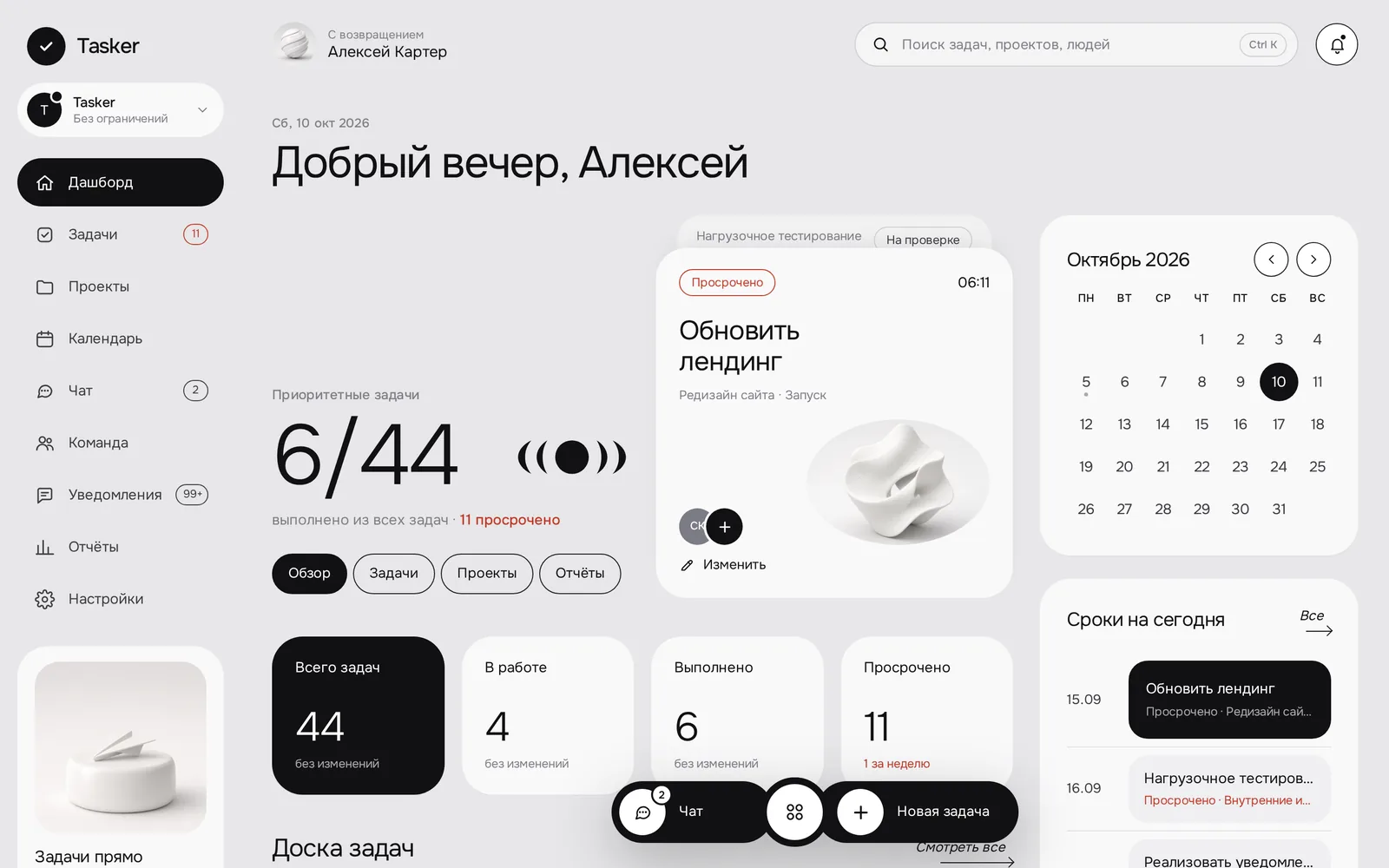
Dashboard: the day starts here
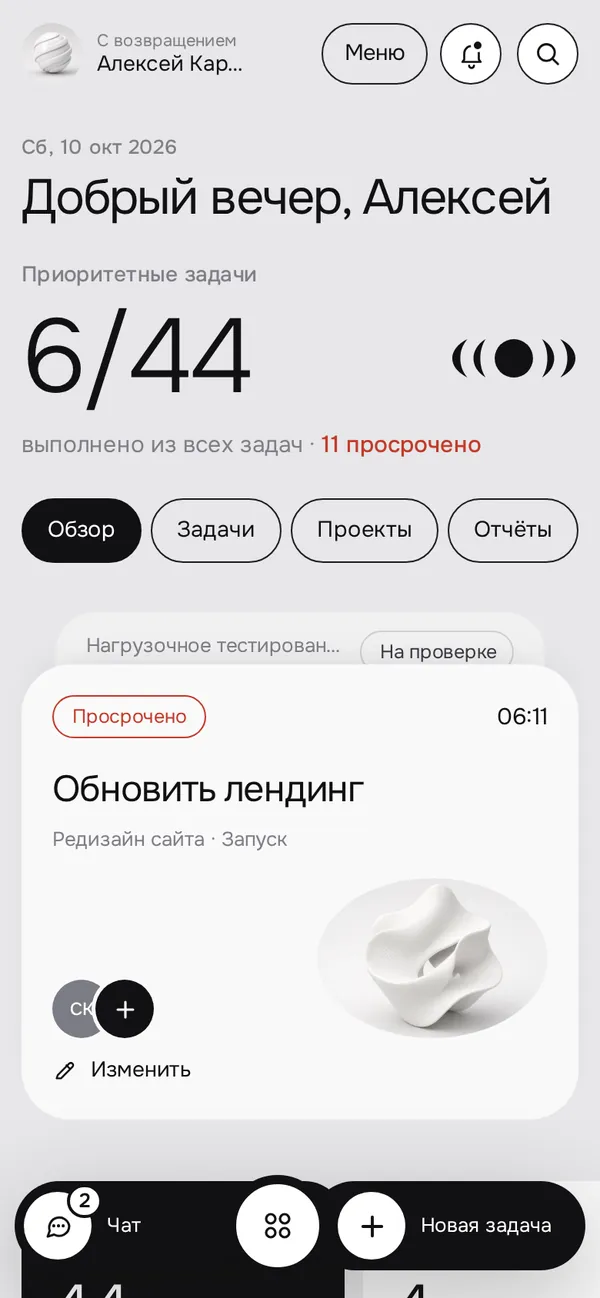
A greeting, progress on priority tasks, upcoming deadlines and the month calendar on one screen. What is urgent and what can wait is clear at once.
- Counters: total, in progress, done, overdue
- The most urgent task with its assignees
- Today’s deadlines and a quick jump to the board
02
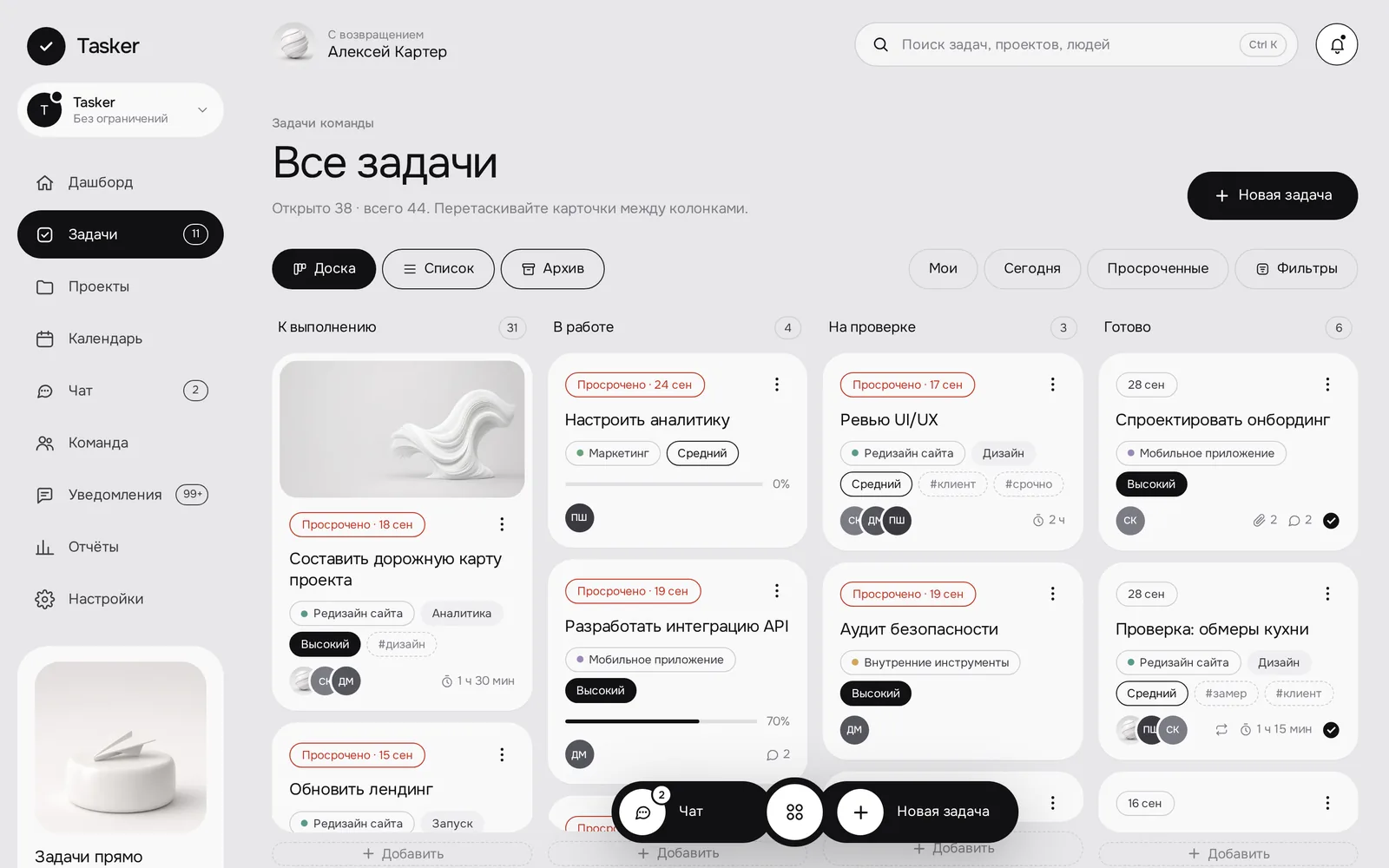
Task board: moving through stages
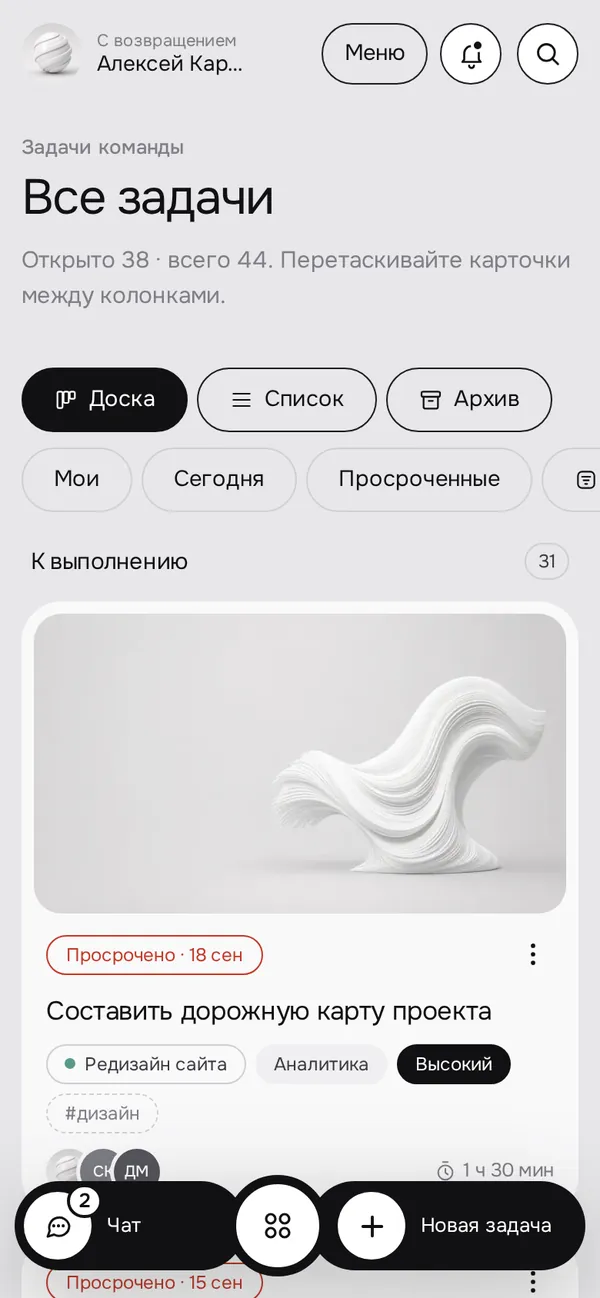
To do, In progress, Review, Done. Cards are dragged between columns, while covers, tags and priorities make the board readable at a glance.
- Board / list / archive switch
- Filters: mine, today, overdue
- Review before a task is closed
03
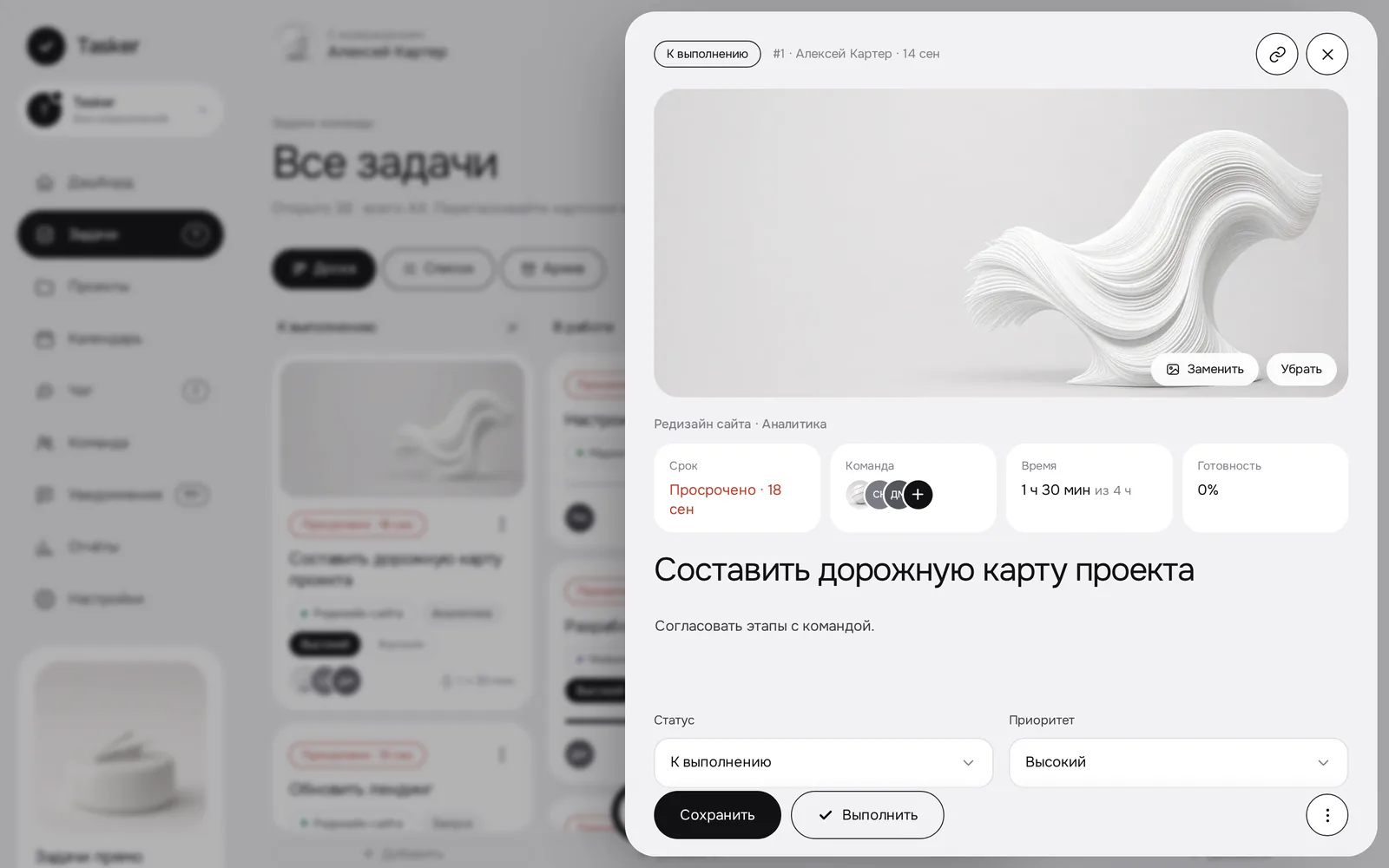
Task card: everything in one window
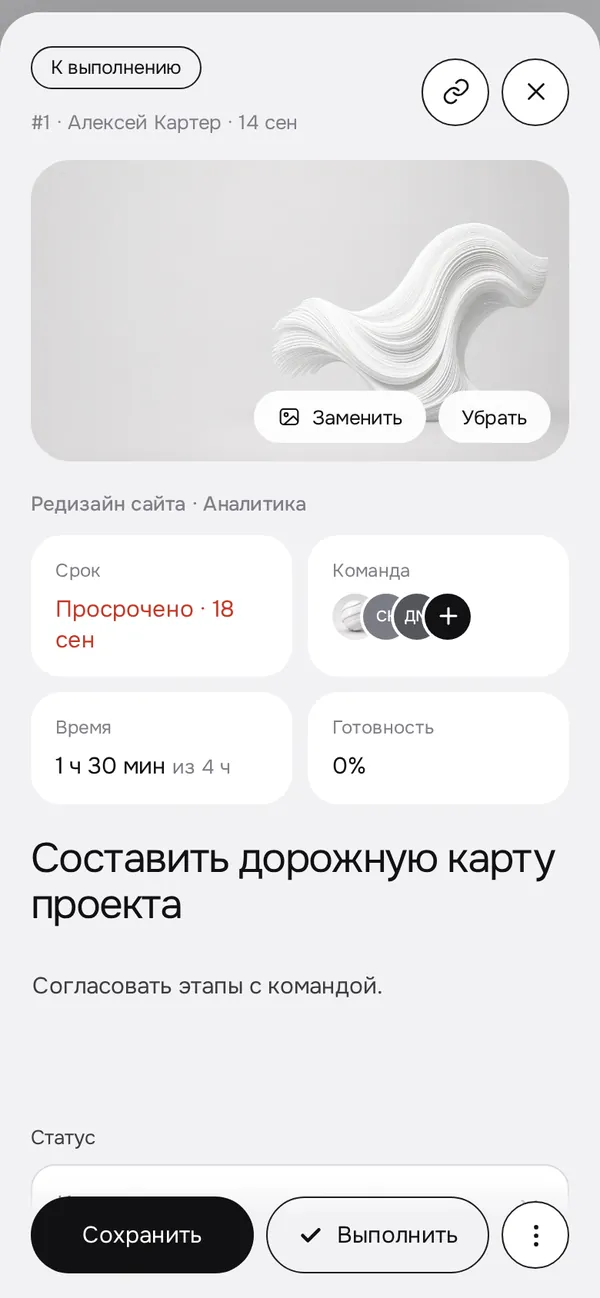
Deadline, team, time tracking and progress at the top. Below — description, status, priority, assignee, project fields, attachments and discussion.
- Task and project covers
- Time spent versus estimate
- Reminder for a date and time
04
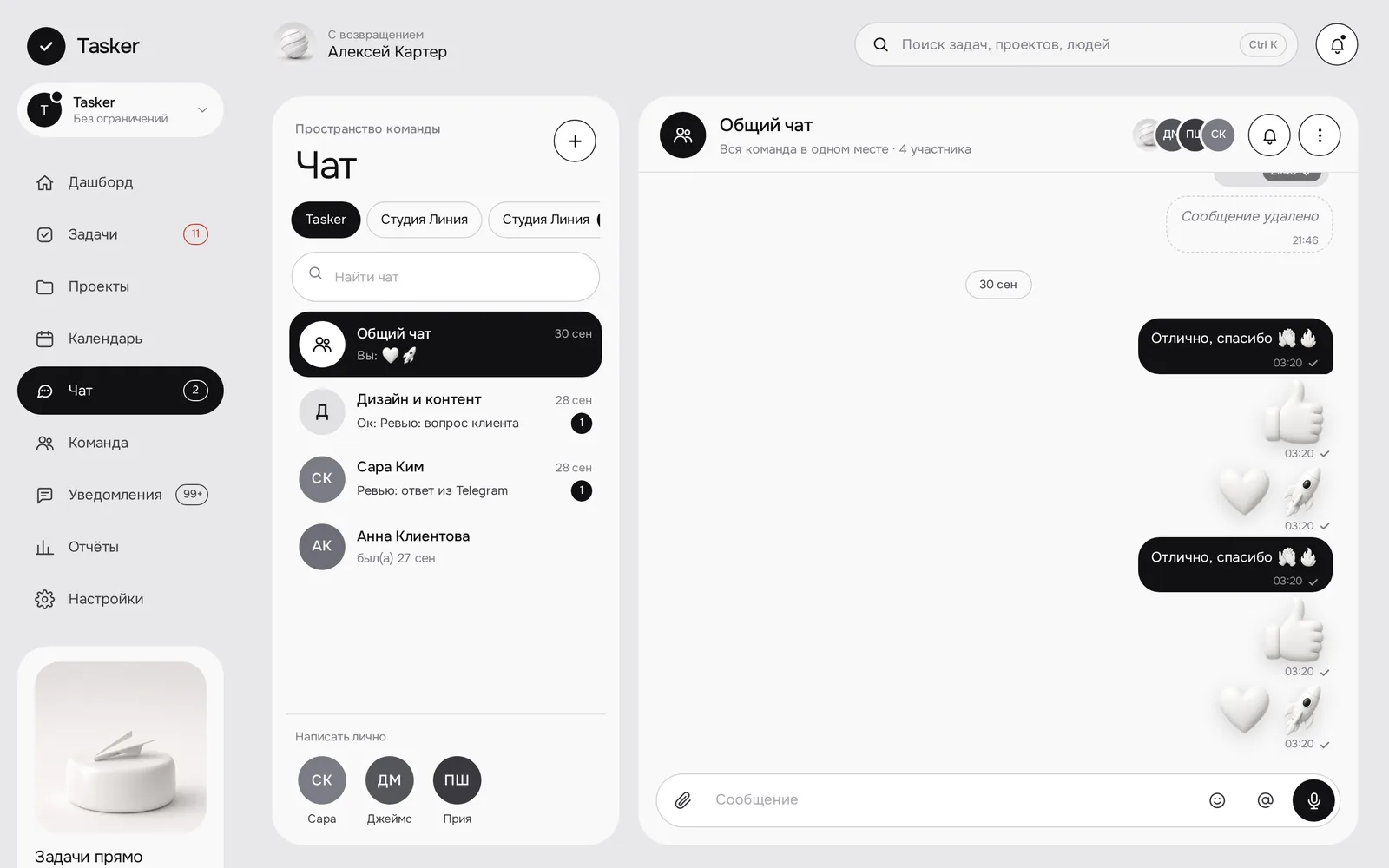
Team chat: discussion without chaos
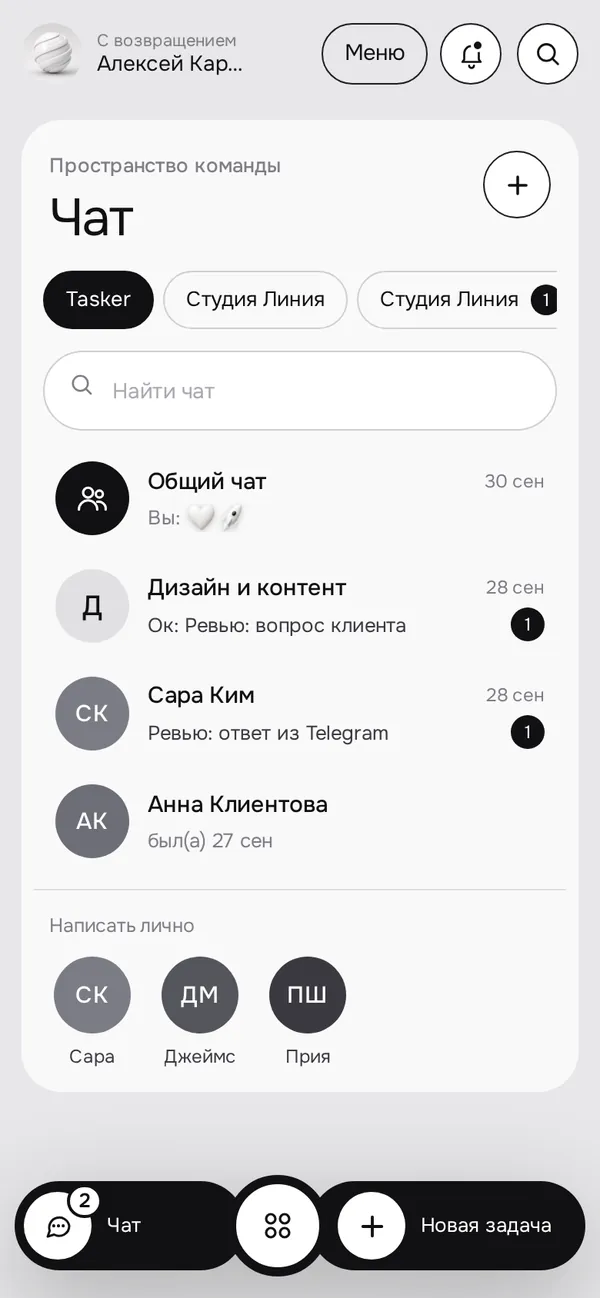
A general chat, project groups, direct messages and separate client groups. Mention with @, link tasks with #.
- Voice messages right in the input line
- See who has read and who is typing
- A copy in Telegram when you are away
05
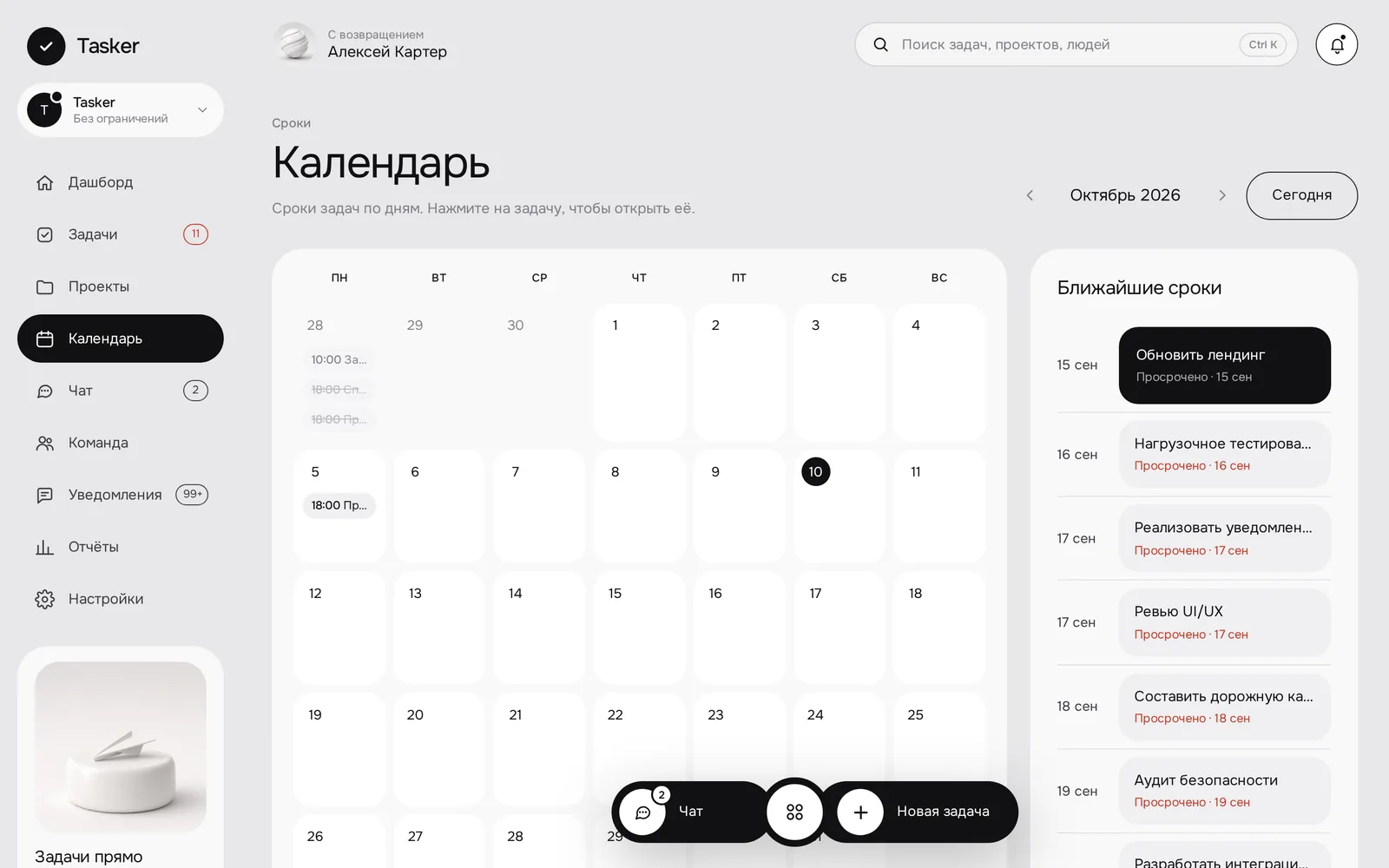
Calendar: a month ahead
Tasks by day and a feed of upcoming deadlines on the right. A click opens the task card, overdue items stand out.
- The whole month and “Today” in one tap
- Upcoming deadlines with projects
- The same tasks as on the board
06
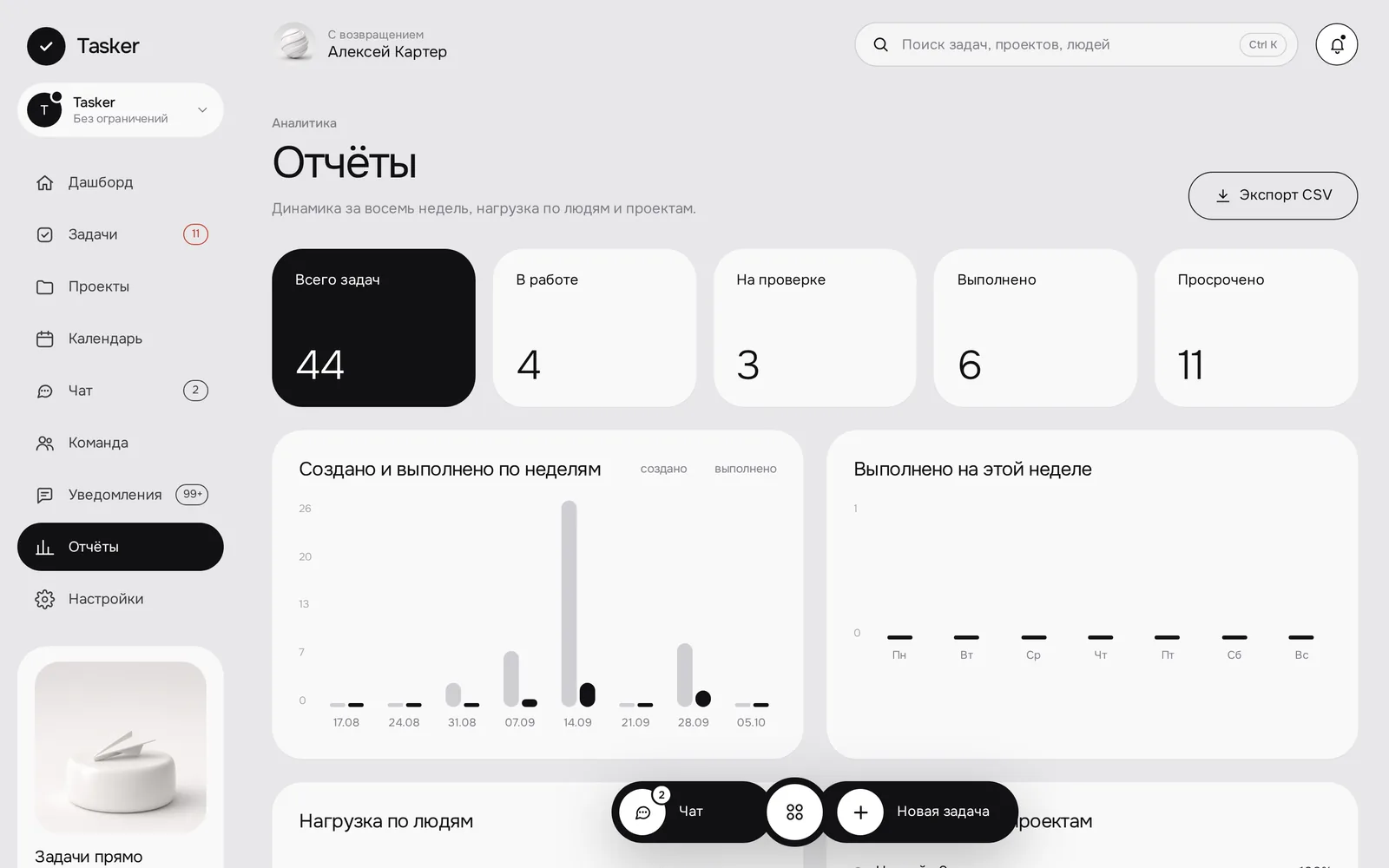
Reports: a clear weekly picture
Eight weeks of dynamics and workload by people and projects. Leads see team capacity without manual counting.
- Created and completed by week
- Workload by people and projects
- CSV export
SCREENS / DESKTOPA product,
A product,
not just a page.
SCREENS / MOBILEA workspace
A workspace
in your pocket.
On a phone it is the same workspace: dashboard, board, chat and task card. The bottom bar keeps chat and a new-task button within reach.
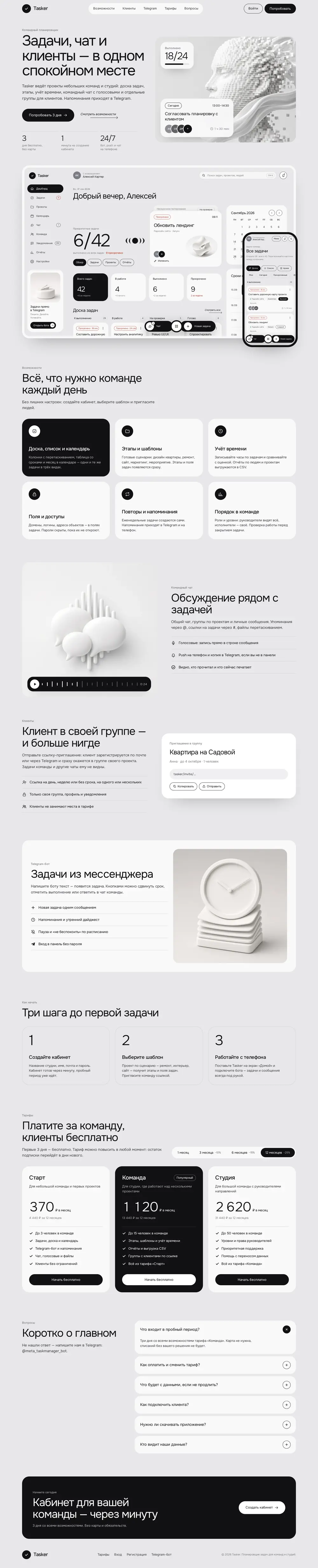
FULL PAGEThe whole page.
The whole page.
From first screen to footer.
Scroll inside the frame.
LET’S MAKE IT HAPPENStart by telling us a little about it.
Have an idea?
Let’s give it shape.