
A steel buyer has no use for a glossy brochure. They want quick answers: is the size in stock, what does the batch weigh, how do I send a request. The stockist wanted a catalogue the manager could run without a developer, equally handy for a foreman on site and a buyer at a desk.
GlavPromStal
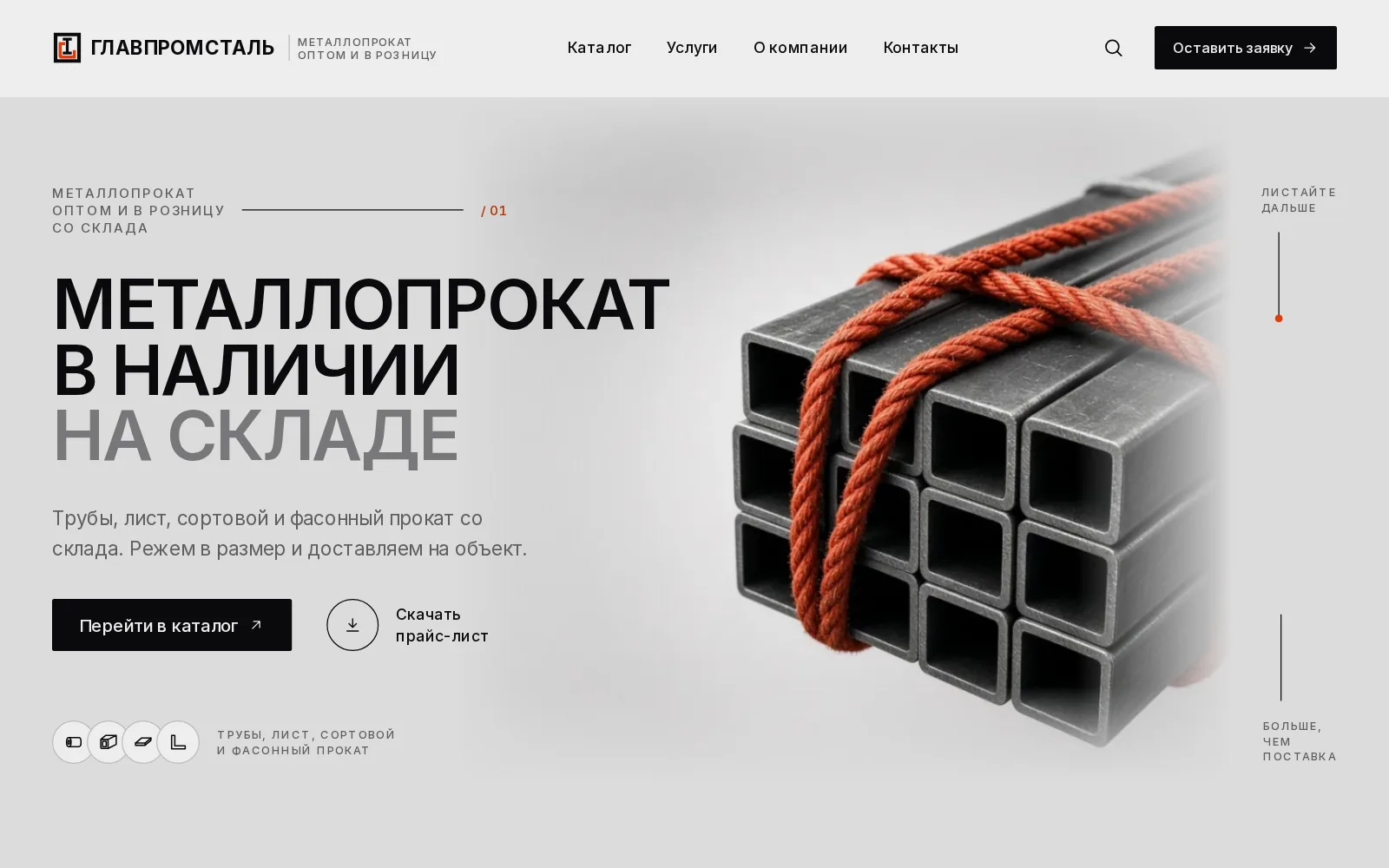
Ready to launchA catalogue website for a steel stockist: pipes, sheet, bar and section steel. Tables with sizes, grade and standard, a weight calculator and a request form that takes a specification file — everything a buyer needs within two taps.
46items with sizes, grade and standard
6product sections and 18 subsections
1calculator for batch weight and cost
95+Lighthouse score on mobile
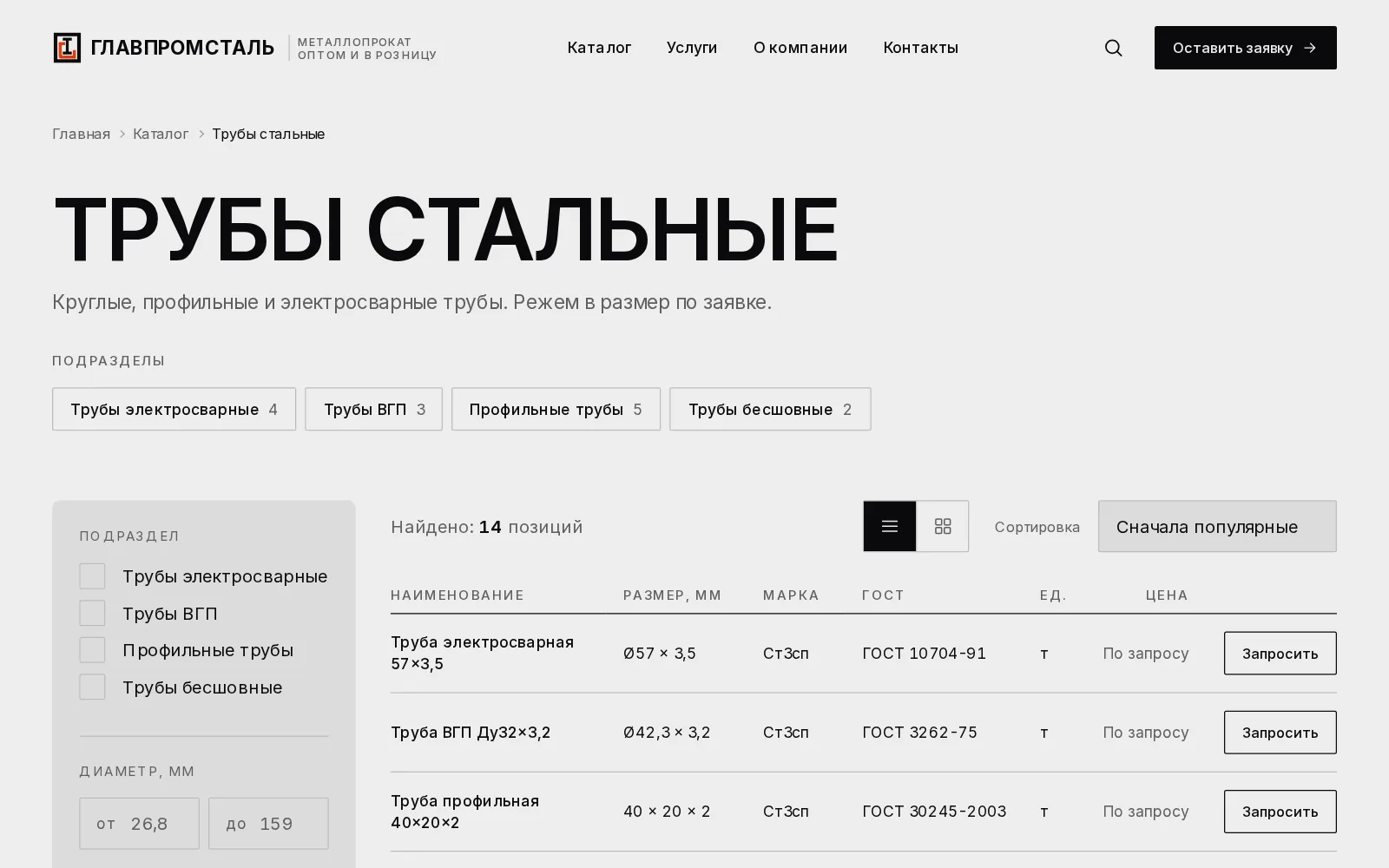
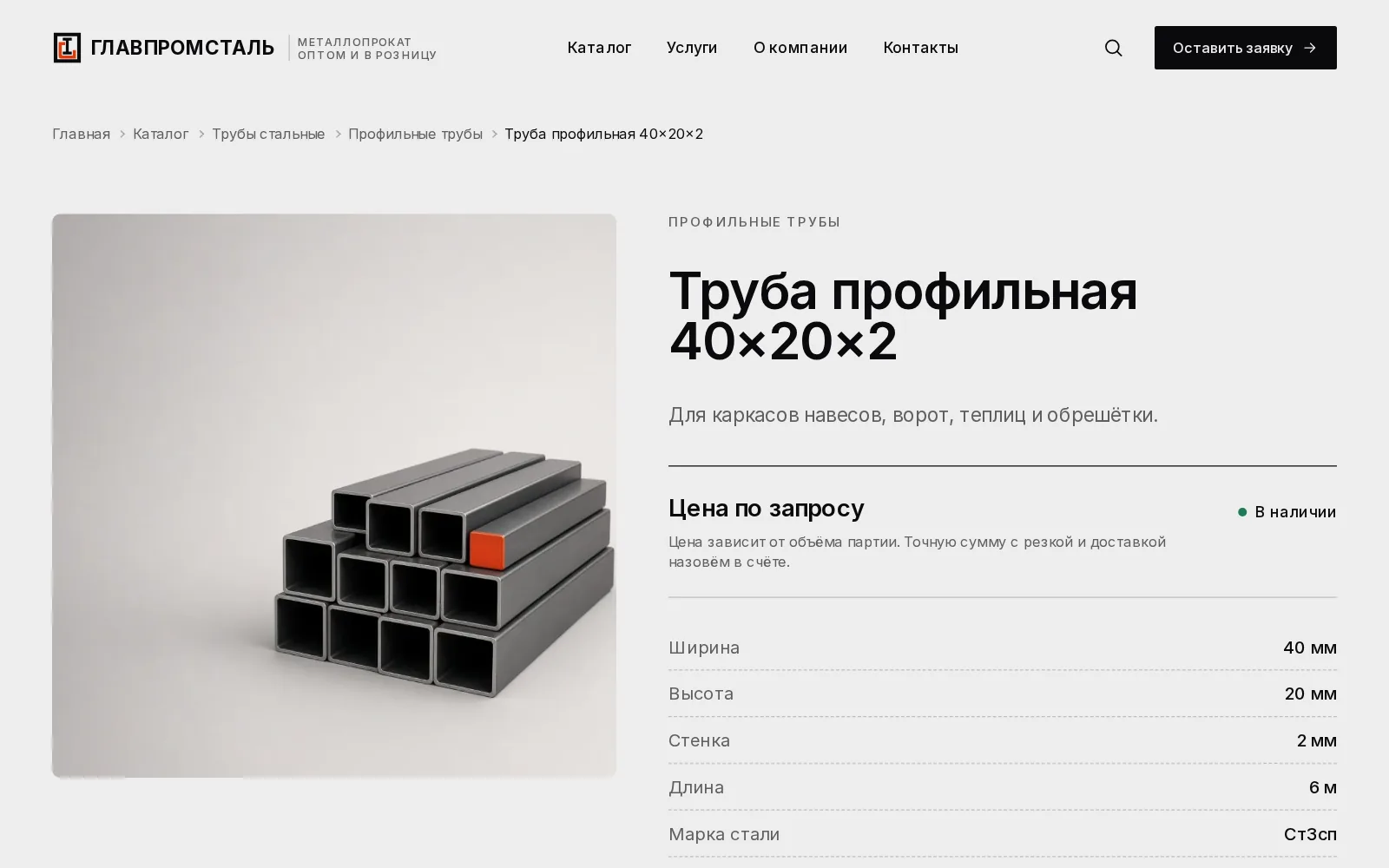
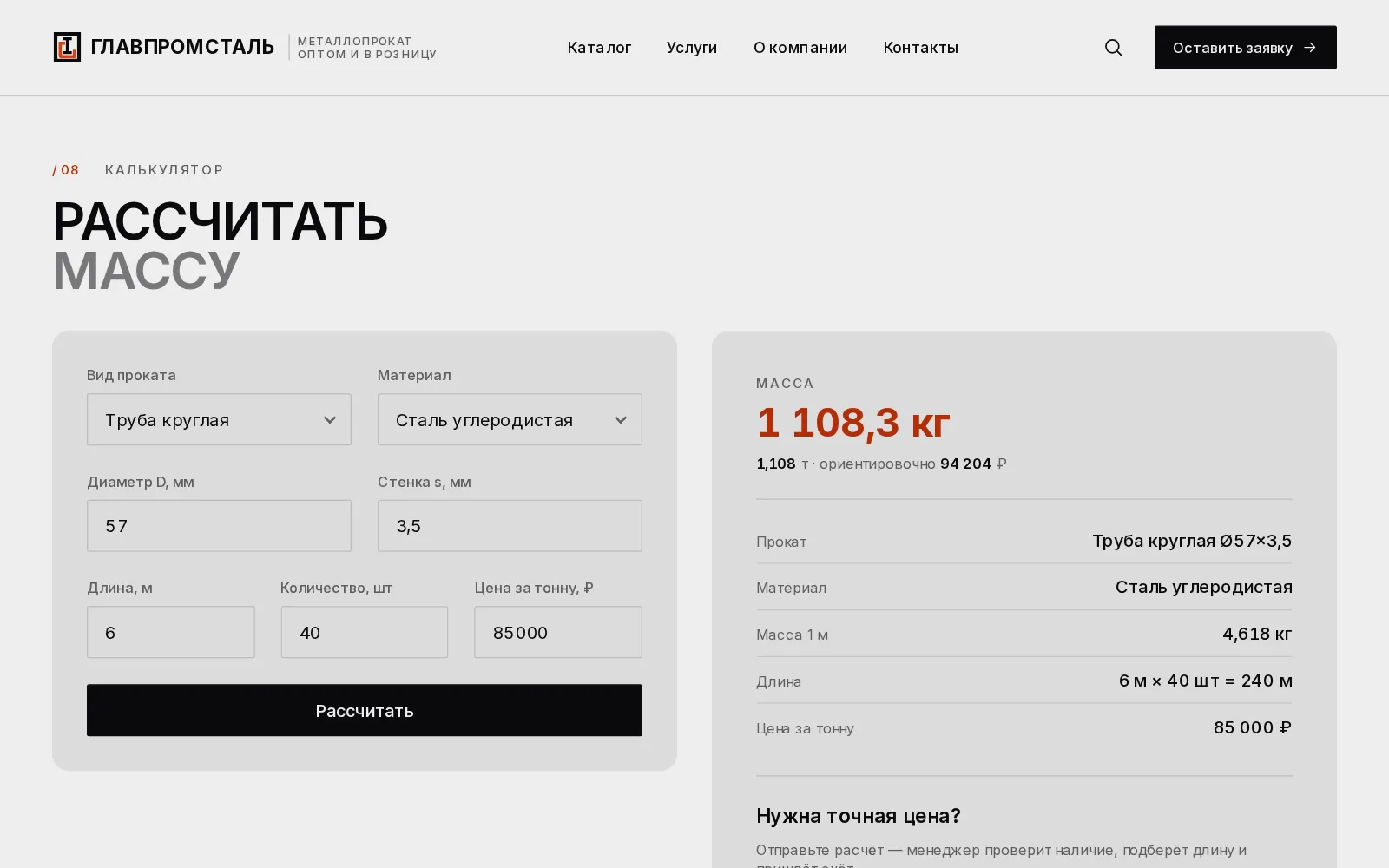
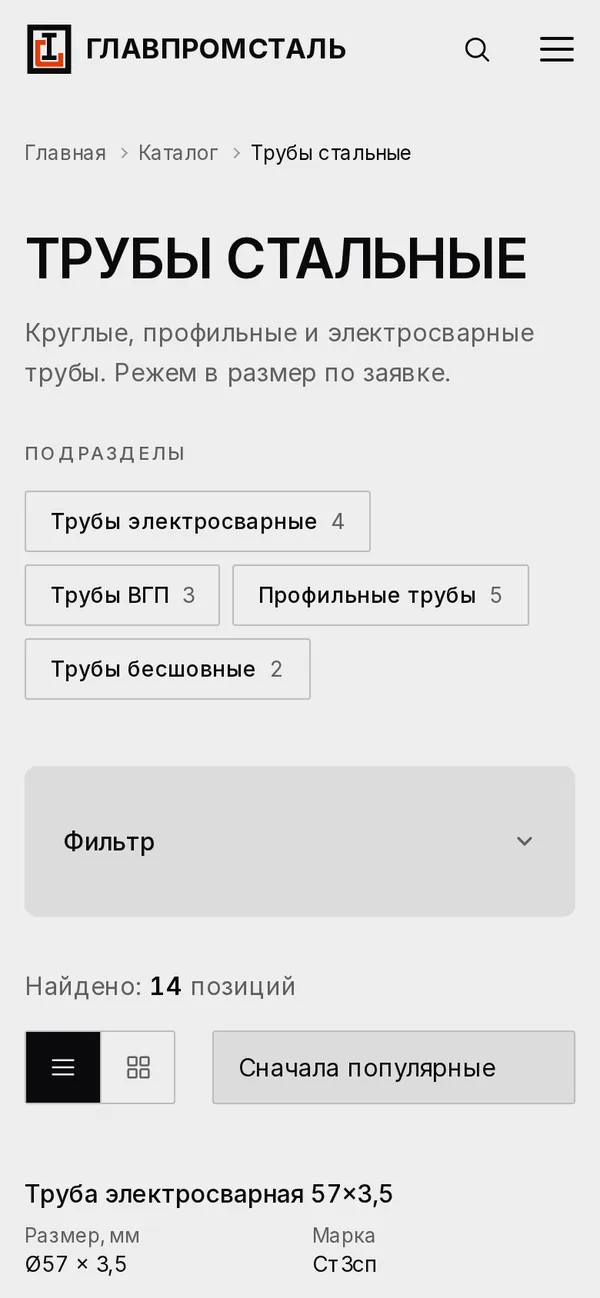
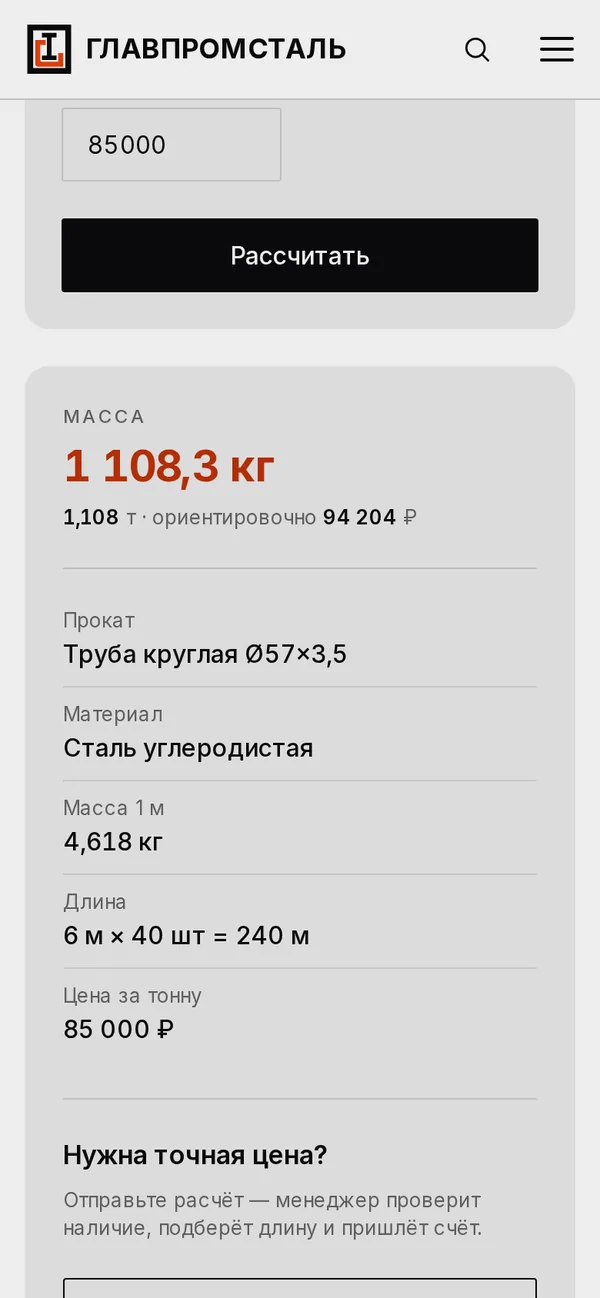
We gave the catalogue a clear structure: section, subsection, item. A section is a table with sizes, steel grade and standard, filters and sorting, which turns into compact cards on phones. The calculator works out the weight of pipes, sheet and bar steel from standard densities and shows an estimated total straight away. A specification file can be attached to the request, and it reaches the manager by email and Telegram.
A strict monochrome site with an orange accent and object photography of steel. A custom admin panel covers items and sections, home page blocks, menus, requests with CSV export and separate roles for owner, editor and designer. Pages load fast: 95–98 in Lighthouse on mobile.
PRINCIPLESA catalogue
A catalogue
as a tool.
The site rests on one idea: a steel buyer comes for size, weight and price. Everything else is secondary.
A table, not a showcase
Buyers compare rows faster than they scroll cards. Size, grade, standard and a price request sit in one line.
Weight before the call
The calculator gives batch weight and an estimated cost, and the result goes to the manager with the request.
Specs as a file
A request can carry a PDF, a spreadsheet or a photo of the list. Only the panel can see it.
The stockist runs it
Items, sections, texts and the home page are edited in the panel. Editors and designers only get the rights they need.
SCREENS / DESKTOPSteel
Steel
without the fluff.


SCREENS / MOBILEFrom the
From the
building site.
On phones the table becomes cards, filters slide up from the bottom, and the calculator and request form stay under your thumb — handy right on the building site.


FULL PAGEThe whole page.
The whole page.
From first screen to footer.
Scroll inside the frame.

LET’S MAKE IT HAPPENWe reply within one business day.
Good projects
start with a conversation.

Have an idea, a task or a site you have long wanted to update? Tell us about the project — we will help choose the format and discuss the approach and the cost. No detailed brief needed: a few sentences are enough to start.
Discuss a project