
Studios run their work across messengers, spreadsheets and email: enquiries get lost, briefs live in chats and payments get mixed up with stages. The goal was to bring the whole order journey into one place without turning it into a heavy CRM.
WorkPane
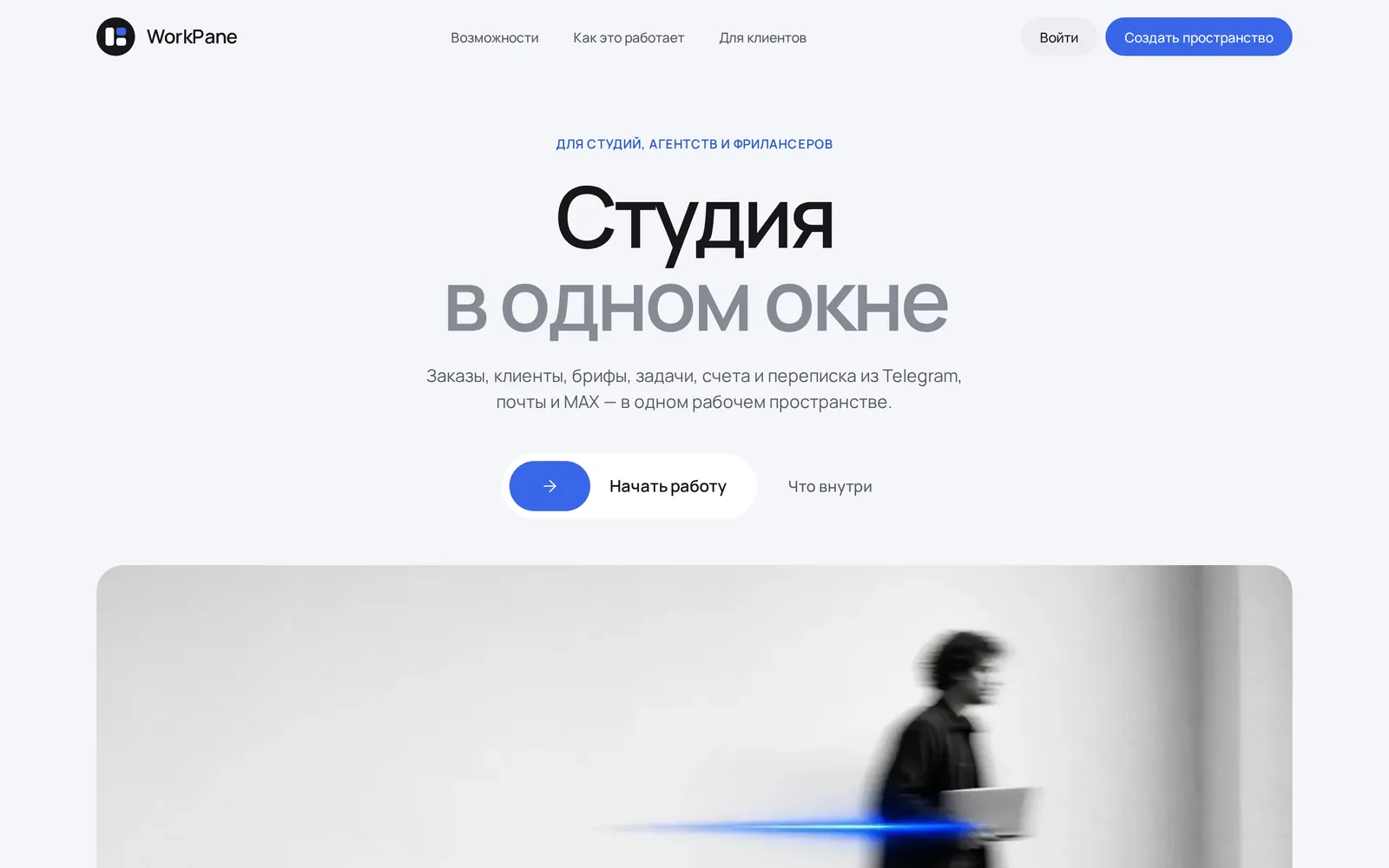
LiveA workspace for studios, agencies and freelancers: orders, clients, briefs, tasks, invoices and messages from Telegram, email and MAX in one window.
8modules instead of a zoo of tools
3messaging channels in every order card
4steps from enquiry to paid invoice
0sign-ups for clients — a portal by link
We built the product around an order board: stages, deadlines and owners on the board, payment as a separate status. Messages from Telegram, email and MAX land straight in the order card. Briefs by link, invoices with partial payments, tasks and calendar, role-based access and a client portal with no sign-up.
A product where a studio goes from enquiry to brief, work and invoice without switching tools. Its own workspace landing page with a lead form, one-click design approvals and Telegram notifications. The product site is calm and monochrome with a blue accent and real photography.
PRINCIPLESNo zoo
No zoo
of tools.
WorkPane rests on one idea: everything that used to live in chats, spreadsheets and email belongs on one board, from brief to paid invoice.
The order is the centre
Messages, briefs, files, tasks and invoices are tied to the order. No more guessing where something was discussed.
Money apart from stages
Payment is its own status, not a board column. An order can be in progress and partly paid at the same time.
Clients stay informed
A portal by link shows stages, files and invoices. Clients approve designs with a button instead of asking for updates.
Everyone sees their own
Owner, admin, manager, developer: access is split, so developers never see other people’s money or clients.
INSIDE THE WORKSPACEWhat the
What the
workspace looks like.
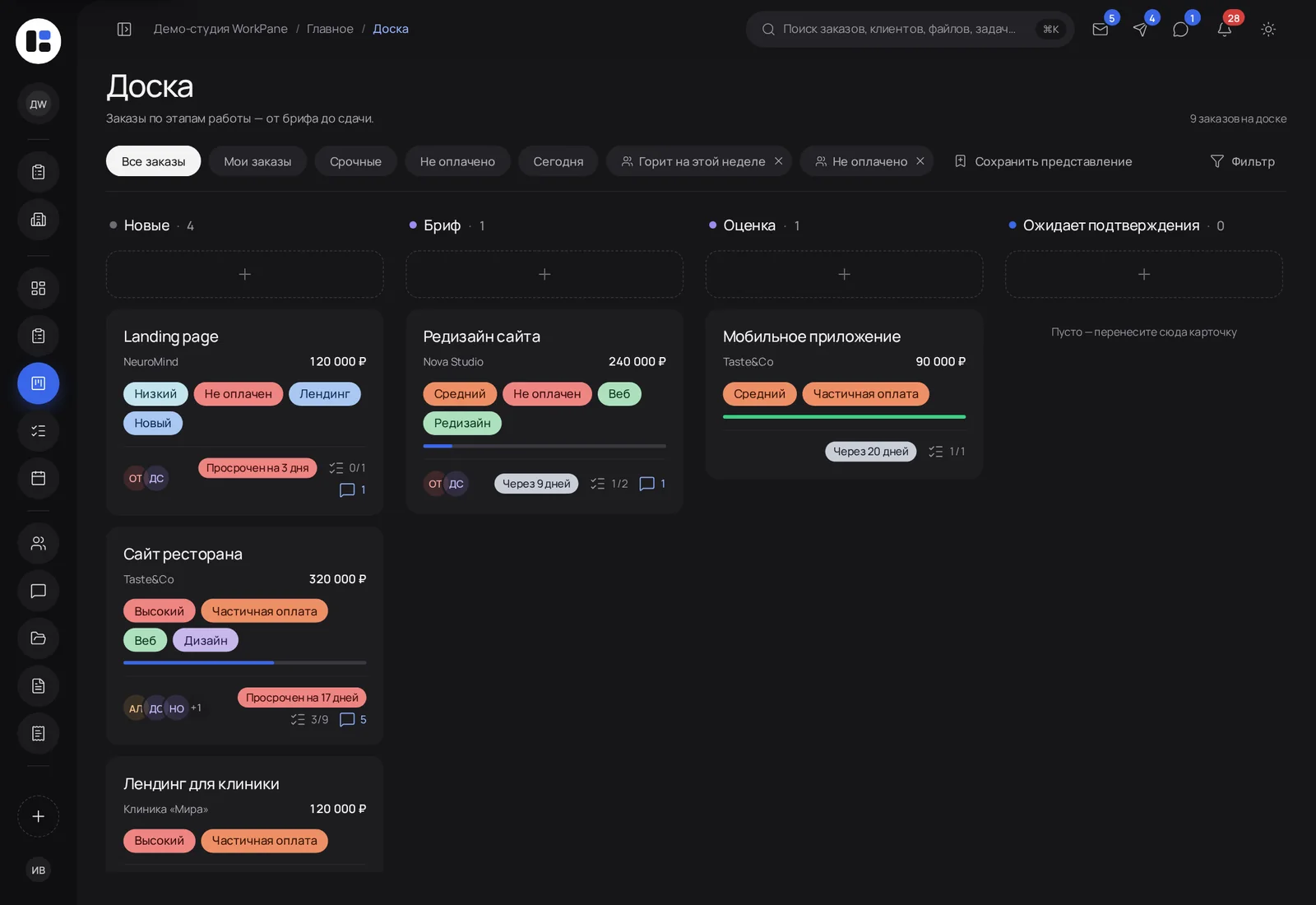
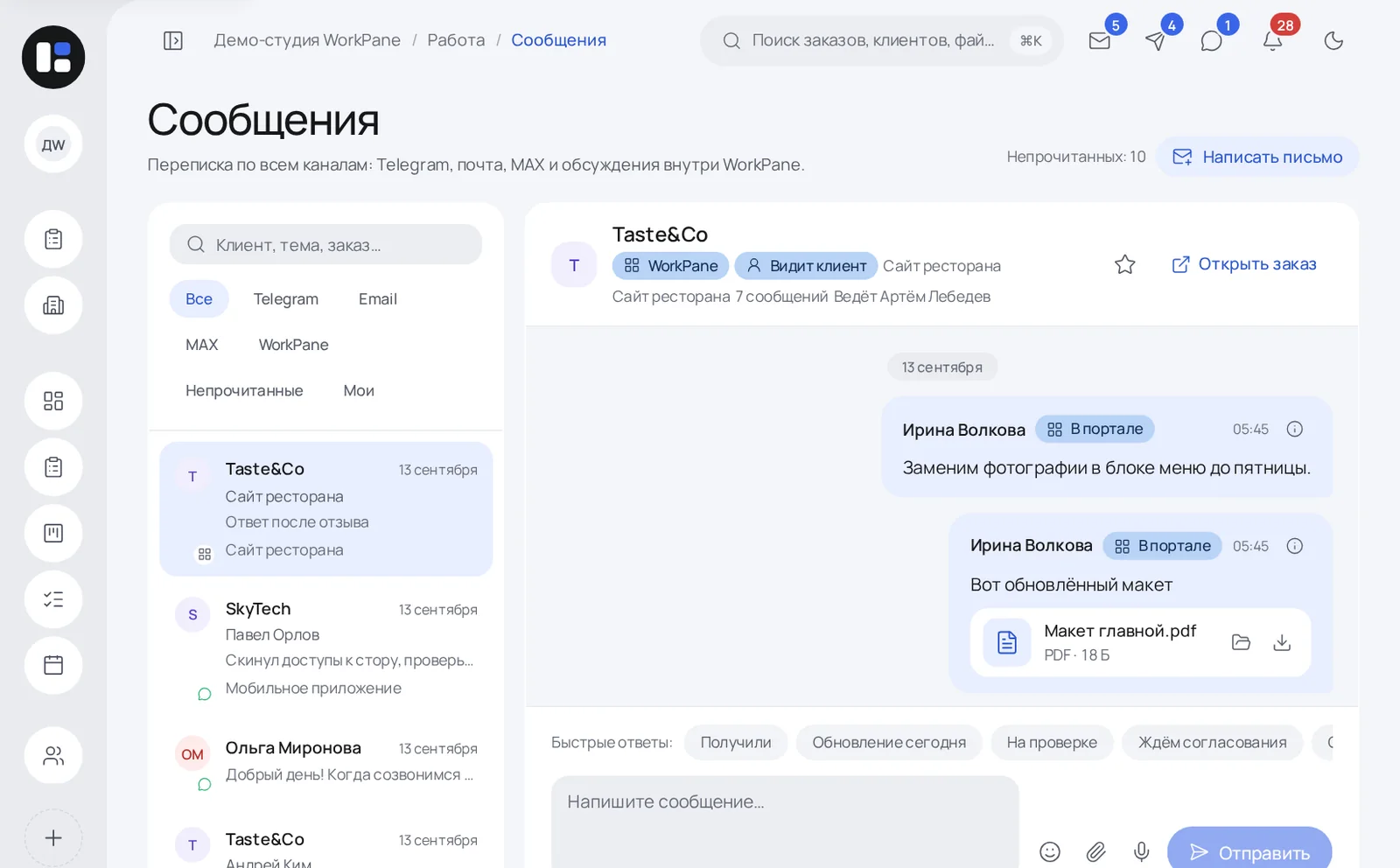
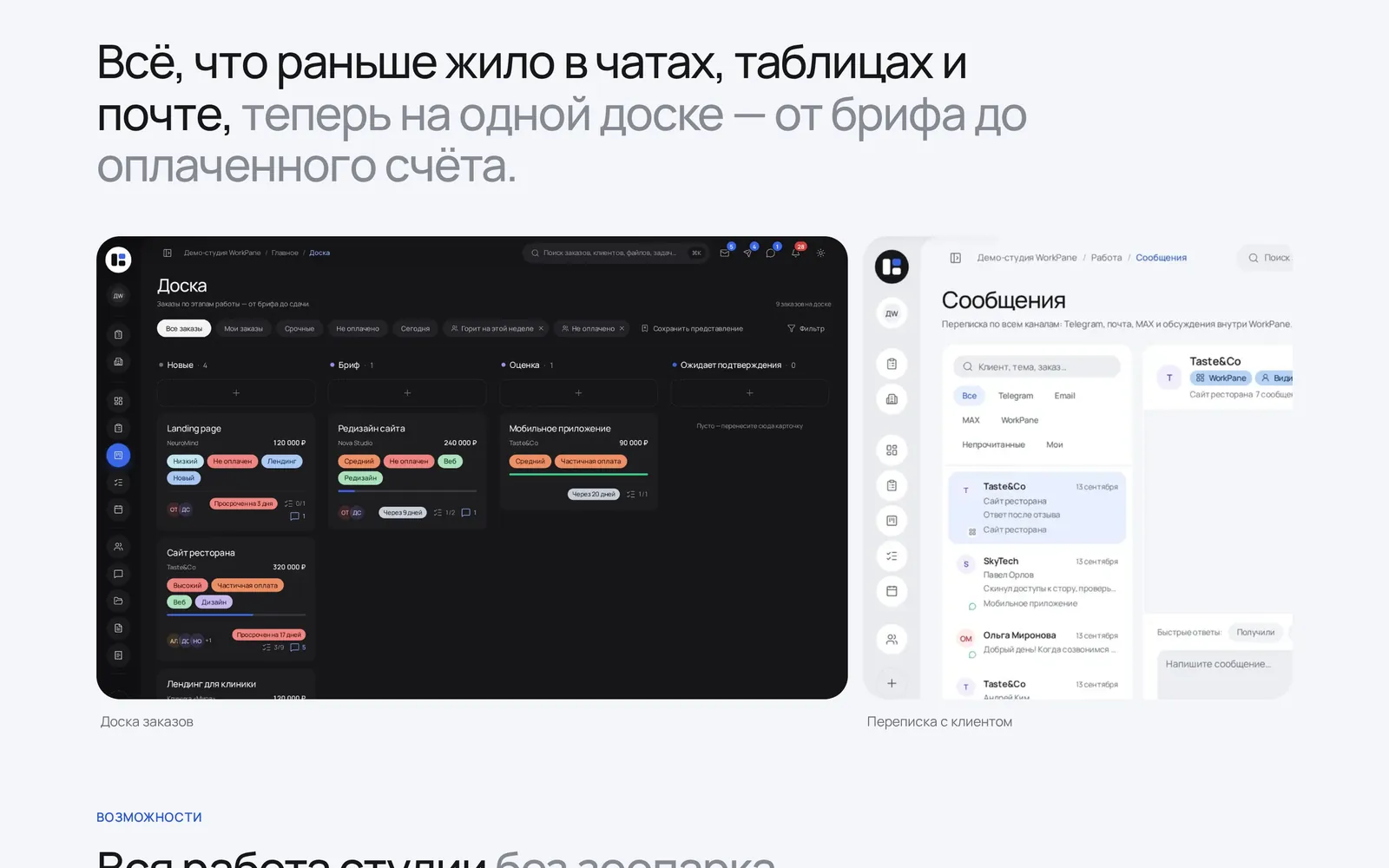
The two main screens where a studio spends its day: the order board and a single message feed.
01
Order board: all work in sight
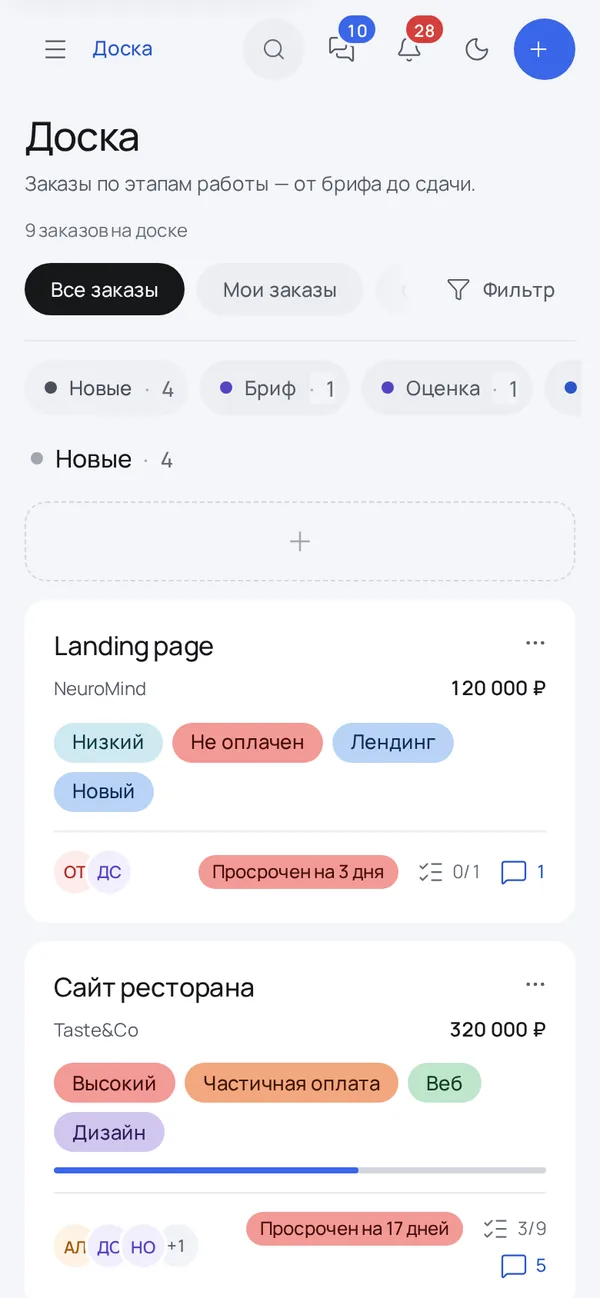
Columns by stage — New, Brief, Estimate, Awaiting approval and beyond. Each card shows the amount, client, priority, payment status, deadline and assignees.
- Quick views: mine, urgent, unpaid, today
- Overdue orders stand out
- Save your own filters
02
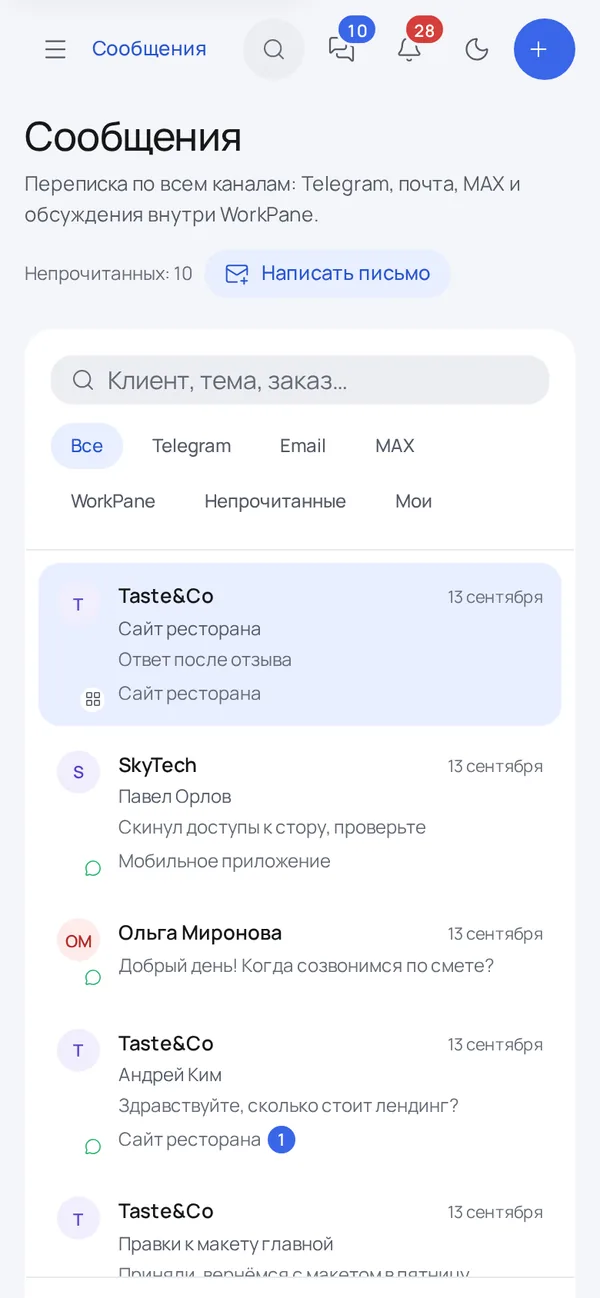
Messages: every channel in one feed
Telegram, email, MAX and internal discussions grouped by client. One click from a conversation to the order, and quick replies save time.
- Filters by channel and unread
- Files from chats go straight to the order
- See who owns the client
SCREENS / DESKTOPThe product
The product
in four screens.
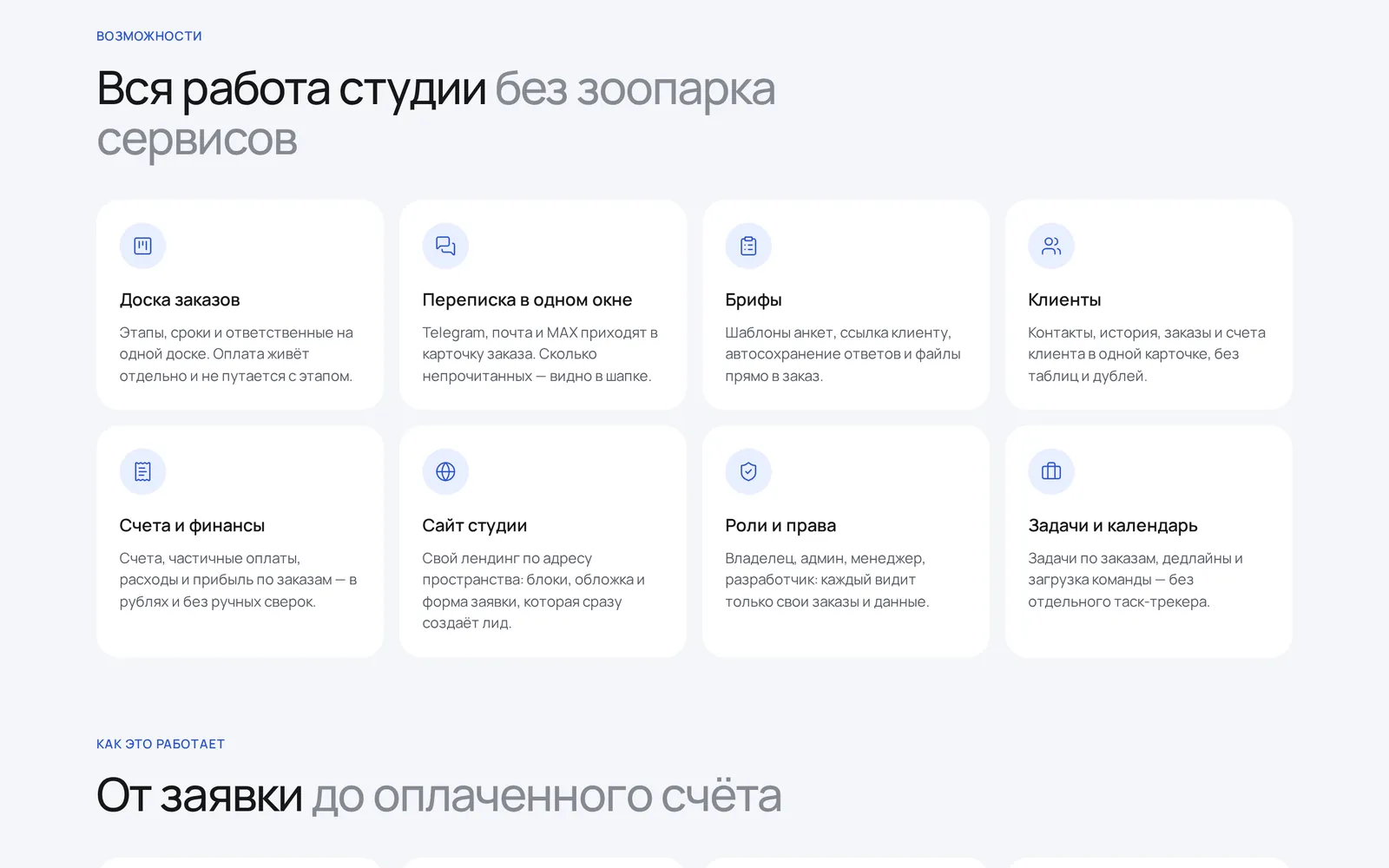
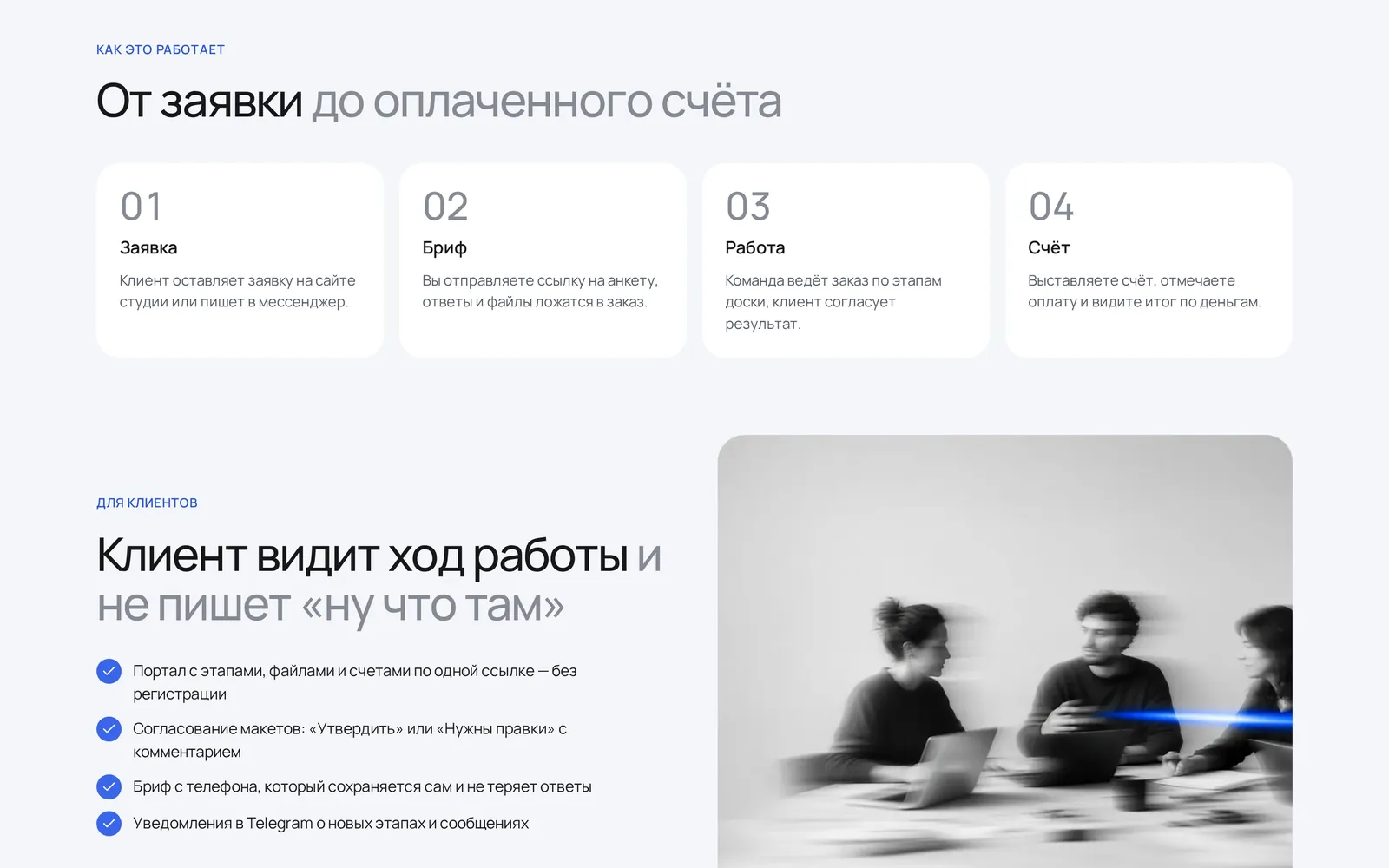
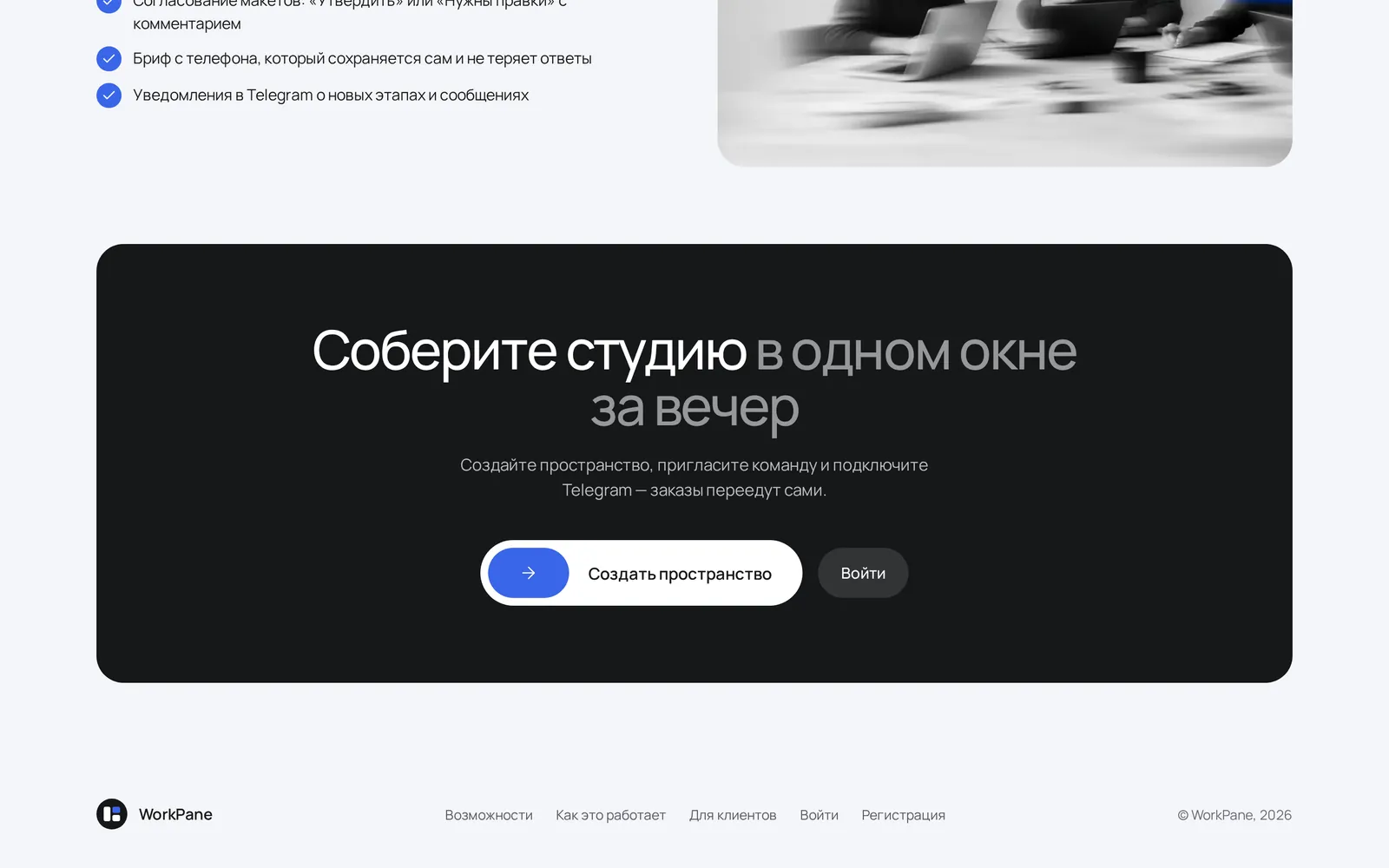
SCREENS / MOBILEA studio
A studio
in your pocket.
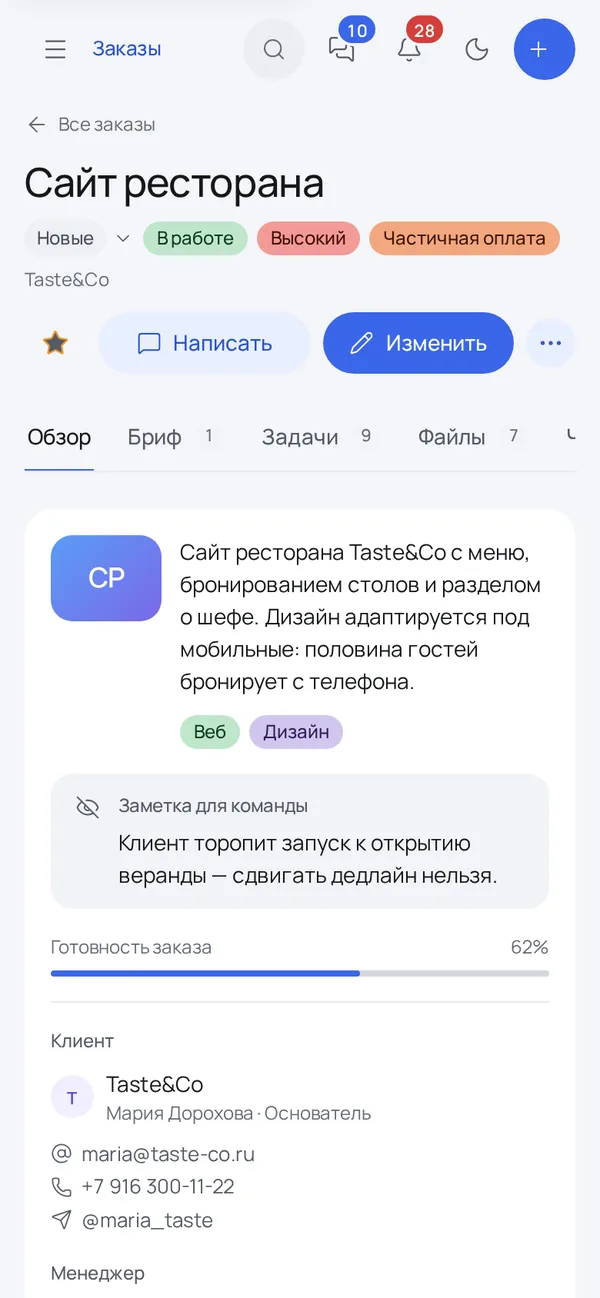
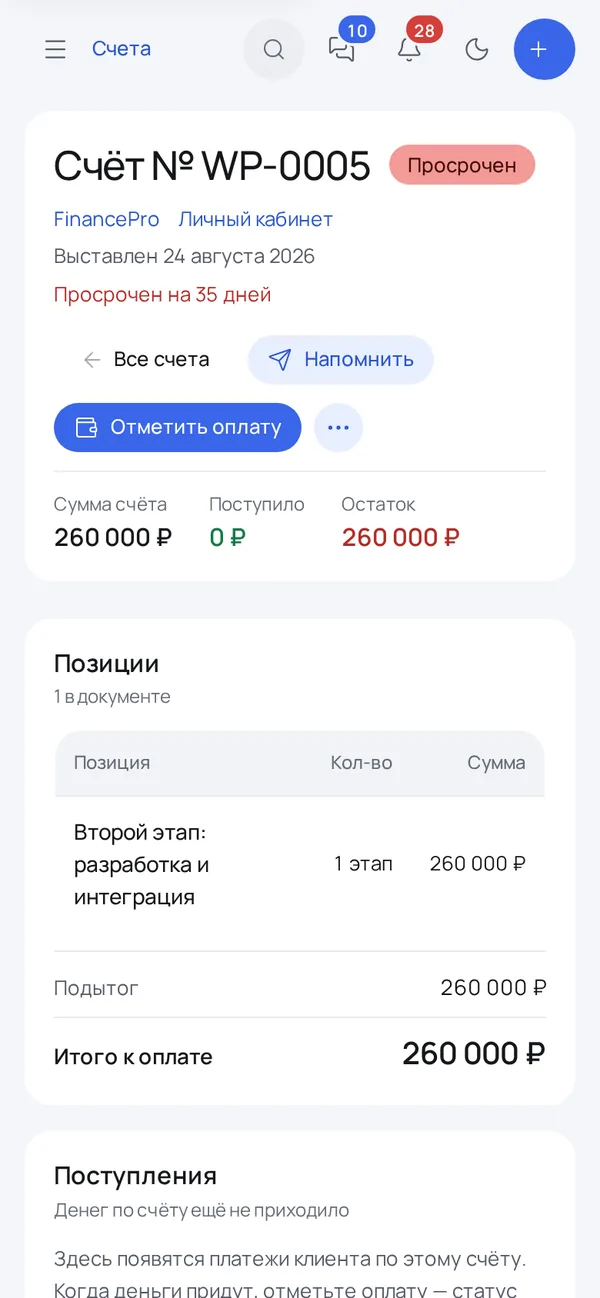
The whole workspace runs on a phone: the order board by stage, an order card with brief, tasks and files, a single message feed and an invoice with items and balance due.
FULL PAGEThe whole page.
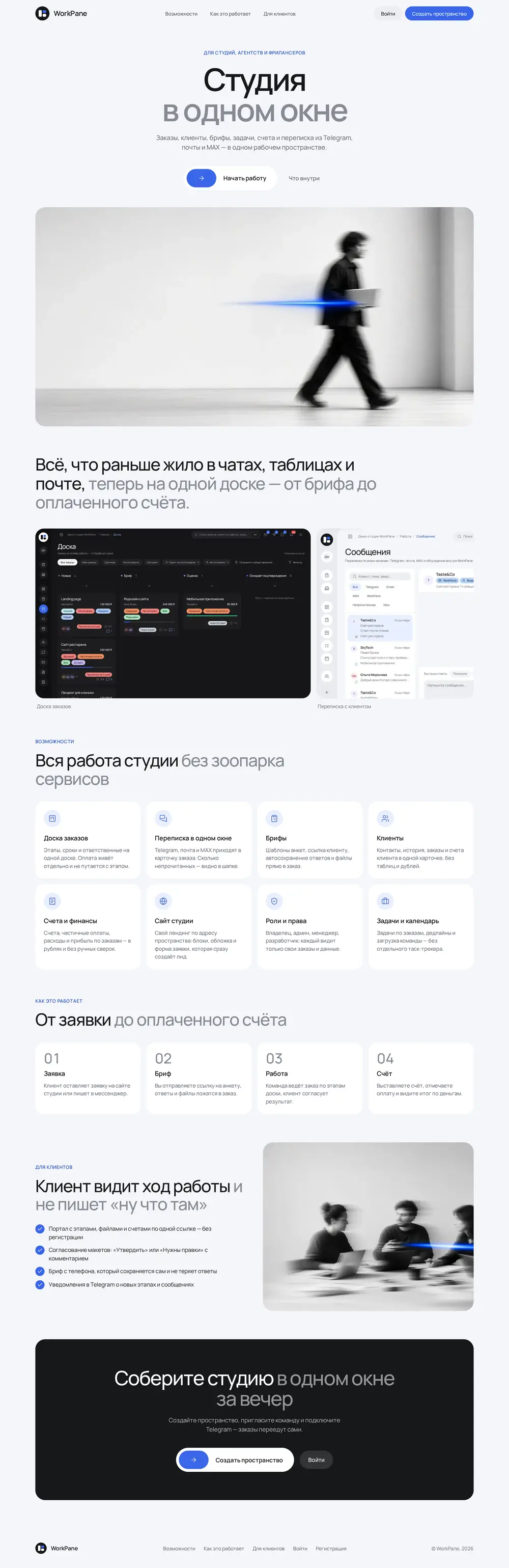
The whole page.
From first screen to footer.
Scroll inside the frame.
LET’S MAKE IT HAPPENStart by telling us a little about it.
Have an idea?
Let’s give it shape.